7 ft. Sculpture

Trent Watts

Well-Known Member
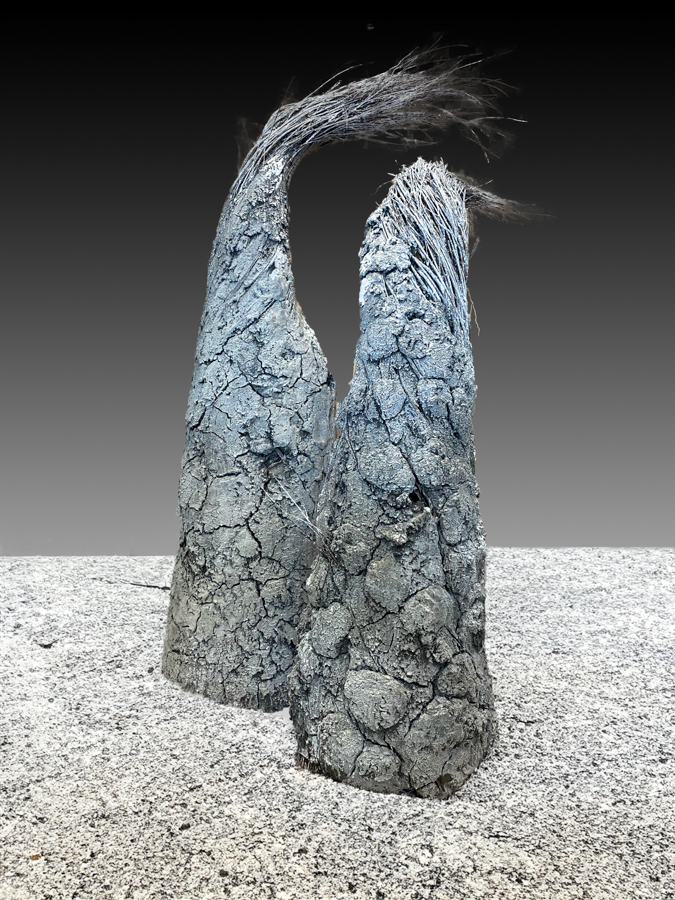
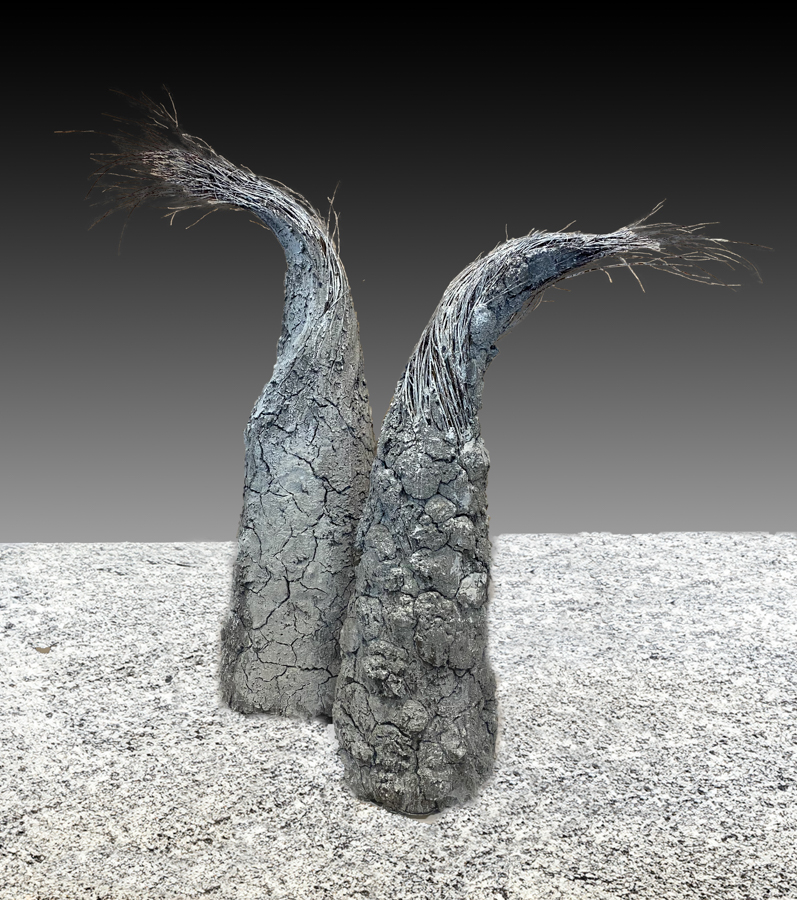
A friend wanted help presenting her sculpture in an art portfolio. It is made from Willow branches and mud plaster. It is quite large and heavy and she lives out of town. I asked her to put something behind the piece to see if we could get some contrast and send me the pictures. I opened her pics in Photoshop and selected the sculpture and made a gradient background. I then used generative AI and put in a 'concrete floor'.
I'm interested in any suggestions of how to improve this process. Especially how to select the branches... I tried the hair select tool and it didn't work well in my hands.
Overall she was satisfied with the pictures and it saved me a lot of hauling equipment around.


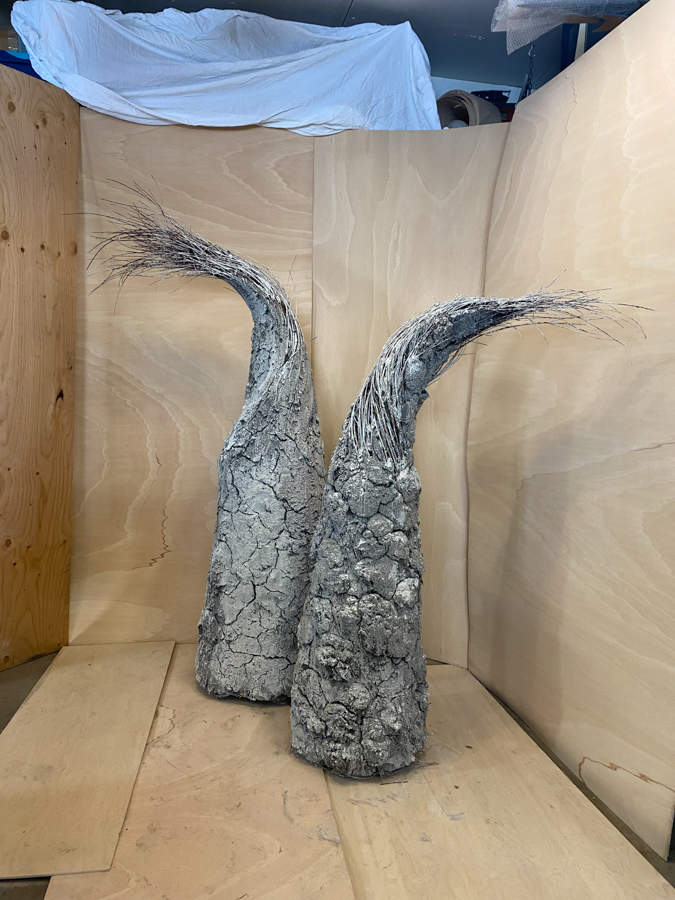
Her original phone pic with plywood background.
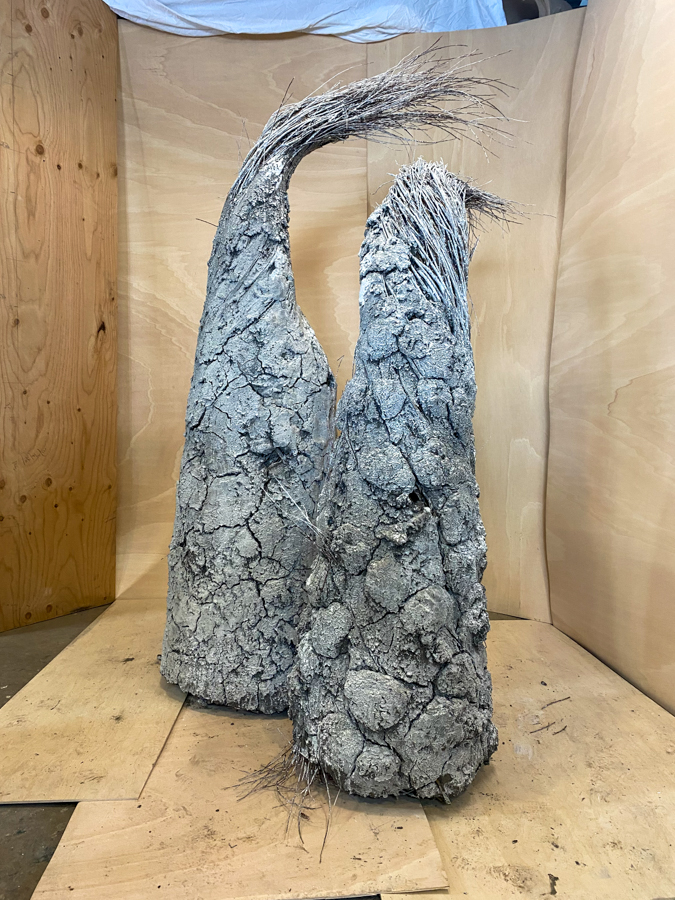
IMG_2610.jpg


After photoshop.
IMG_2610-cement floor-2.jpg


Original
IMG_2612.jpg


Photoshop
IMG_2612-new floor.jpg
 

AlanLichty

Moderator
Not bad at all given what you had to work with. I have seen videos where people made mask refinements for stuff like this look easy but I don't do portrait work or wholesale background replacements where something like this is needed so I have never tried this myself. @Douglas Sherman might know more a lot more since he does a lot of selection work with his flower imagery.
 

Jameel Hyder

Moderator
Staff member
Pretty good given the input. Have you tried Topaz Remask AI - it does a pretty good job with masking fine details.
 

Trent Watts

Well-Known Member
Not bad at all given what you had to work with. I have seen videos where people made mask refinements for stuff like this look easy but I don't do portrait work or wholesale background replacements where something like this is needed so I have never tried this myself. @Douglas Sherman might know more a lot more since he does a lot of selection work with his flower imagery.
Thanks Alan. I’ll check with Douglas.
 
A friend wanted help presenting her sculpture in an art portfolio. It is made from Willow branches and mud plaster. It is quite large and heavy and she lives out of town. I asked her to put something behind the piece to see if we could get some contrast and send me the pictures. I opened her pics in Photoshop and selected the sculpture and made a gradient background. I then used generative AI and put in a 'concrete floor'.
I'm interested in any suggestions of how to improve this process. Especially how to select the branches... I tried the hair select tool and it didn't work well in my hands.
Overall she was satisfied with the pictures and it saved me a lot of hauling equipment around.


Her original phone pic with plywood background.
View attachment 69178

After photoshop.
View attachment 69177

Original
View attachment 69180

Photoshop
View attachment 69179
A friend wanted help presenting her sculpture in an art portfolio. It is made from Willow branches and mud plaster. It is quite large and heavy and she lives out of town. I asked her to put something behind the piece to see if we could get some contrast and send me the pictures. I opened her pics in Photoshop and selected the sculpture and made a gradient background. I then used generative AI and put in a 'concrete floor'.
I'm interested in any suggestions of how to improve this process. Especially how to select the branches... I tried the hair select tool and it didn't work well in my hands.
Overall she was satisfied with the pictures and it saved me a lot of hauling equipment around.


Her original phone pic with plywood background.
View attachment 69178

After photoshop.
View attachment 69177

Original
View attachment 69180

Photoshop
View attachment 69179
I might reduce the amount of foreground surface so that it only occupies about a third of the image, Trent. Whatever you do, you won't be responsible for the success of this sculpture.
 

Trent Watts

Well-Known Member
I might reduce the amount of foreground surface so that it only occupies about a third of the image, Trent. Whatever you do, you won't be responsible for the success of this sculpture.
Thanks for the suggestion Douglas. I still have to chat with the maker about a final image.
 

JimFox

Moderator
Staff member
Hey Trent,

You sure did pretty good here. That's not easy to mask at all. My suggestion would be to suggest to your friend to place a green colored sheet behind it if possible. Then you can select it as a green screen. Otherwise a white sheet behind it would probably work. The idea with the white one is to create as much constrast between the sculptor and the background so you can more easily select all of the background and none of the sculptor.
 

Trent Watts

Well-Known Member
Hey Trent,

You sure did pretty good here. That's not easy to mask at all. My suggestion would be to suggest to your friend to place a green colored sheet behind it if possible. Then you can select it as a green screen. Otherwise a white sheet behind it would probably work. The idea with the white one is to create as much constrast between the sculptor and the background so you can more easily select all of the background and none of the sculptor.
Thanks Jim... I still may have to go out to their place with a backdrop and my camera.
 
Top Bottom