
Bob Israel
Well-Known Member
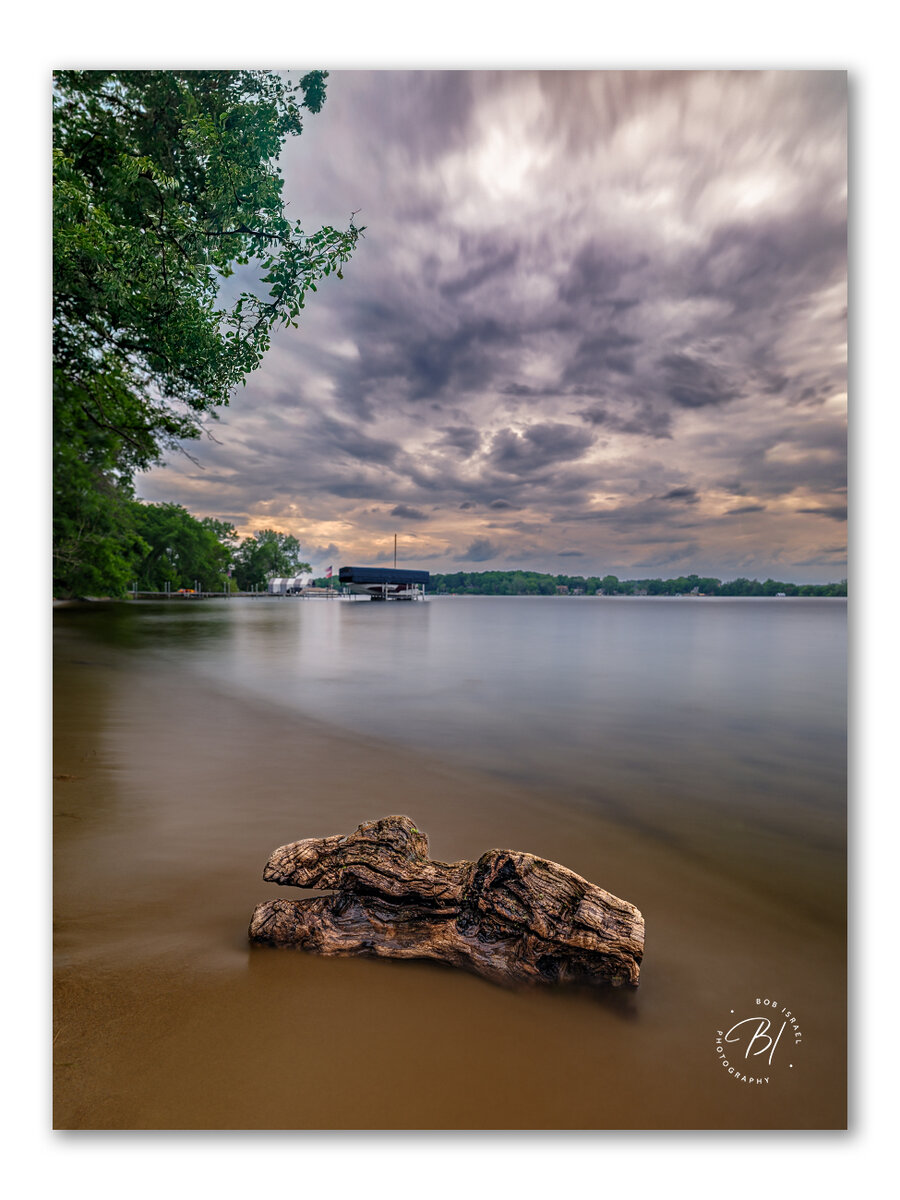
I found this piece of driftwood washed up on shore. It had some interesting texture. Threw a polarizer and 10-stop ND on the GF 23/4.
Last edited:


Nice composition, beautiful long exposure.I found this piece of driftwood washed up on shore. It had some interesting texture. Threw a polarizer and 10-stop ND on the GF 23/4.
View attachment 82098
Thank you Oliver!Nice composition, beautiful long exposure.
Oliver

Jim, this is a really neat trick, thank you for sharing it kindly.Hey Bob,
That's a great job of finding that driftwood and using it. The longer shutter speed is perfect.
One suggestion for you. Along the tree you can see where the sky that shows through the leaves has a cyan tone, where as the rest of the sky has a bit of a magenta cast. The leaves help break up that transition a bit, but it shows that the masking didn't get all of the sky.
That is super common, it happens all the time for me in similar situations. There is a pretty easy solution, using my trick for correcting Halo's along the edges and the sky. It's in the Article section: Halo Removal in Photoshop | Focal World
I initially used it for halos, and what you have isn't a halo, but I found the technique also works really well in this case as well, just make your brush larger.
Thanks Oliver, I use it practically every day on my photos.Jim, this is a really neat trick, thank you for sharing it kindly.
Oliver