

Ken Rennie
Well-Known Member
It happens to the best of us especially when shooting into the light.

These are the blown parts
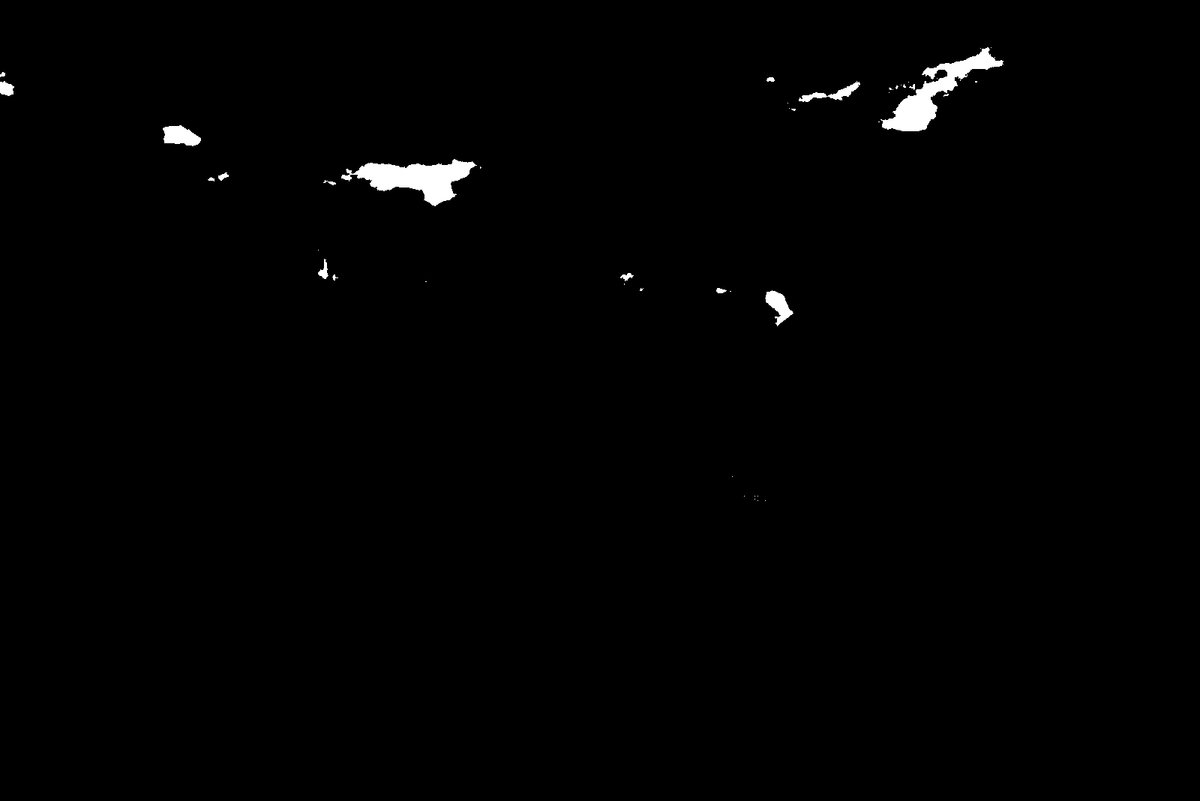
You can probably guess
New Layer set to darken
Large soft clone stamp
select an area that isn't blown and paint it over the offending parts
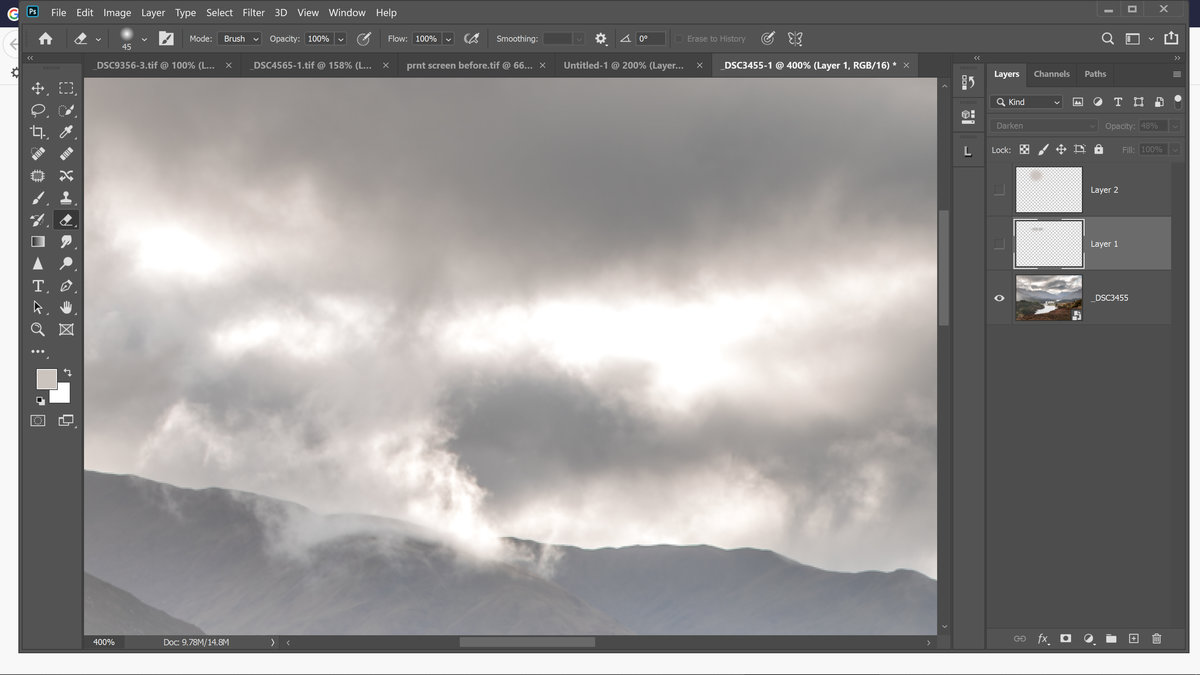
Set the clone stamp to 100% and flow to around 30% and paint over the offending parts. It will probably be too dark so just reduce the layer opacity.

I use a separate layer for each "patch" this allows me to change the opacity for each blown area.
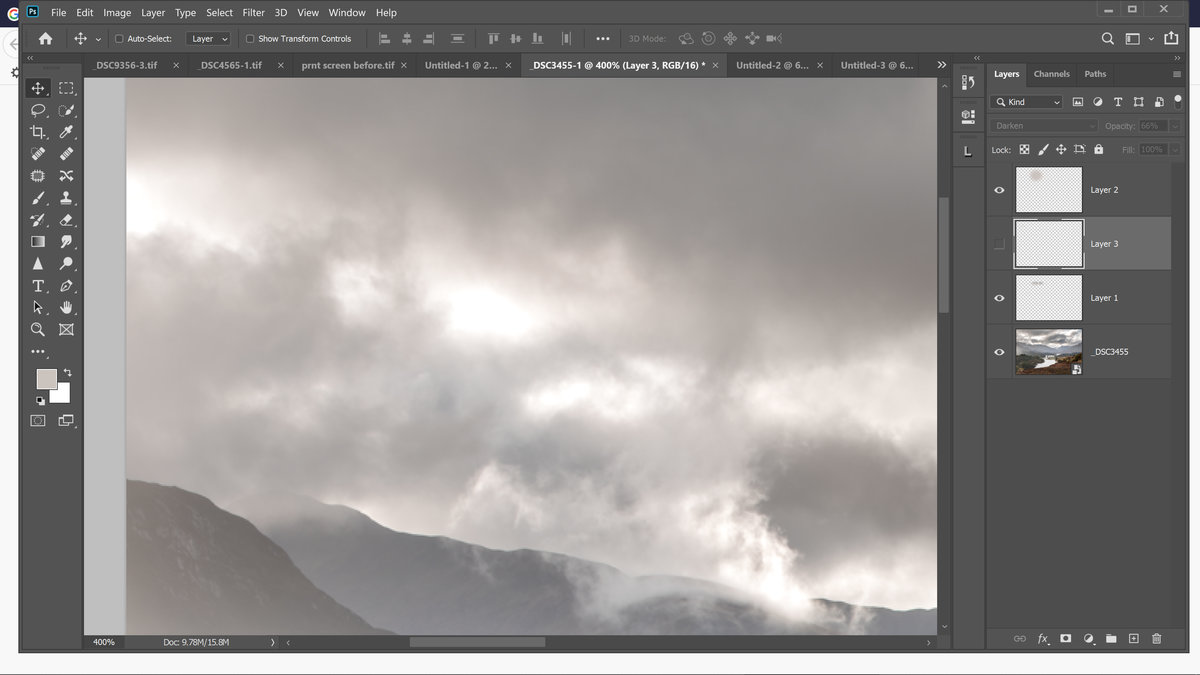
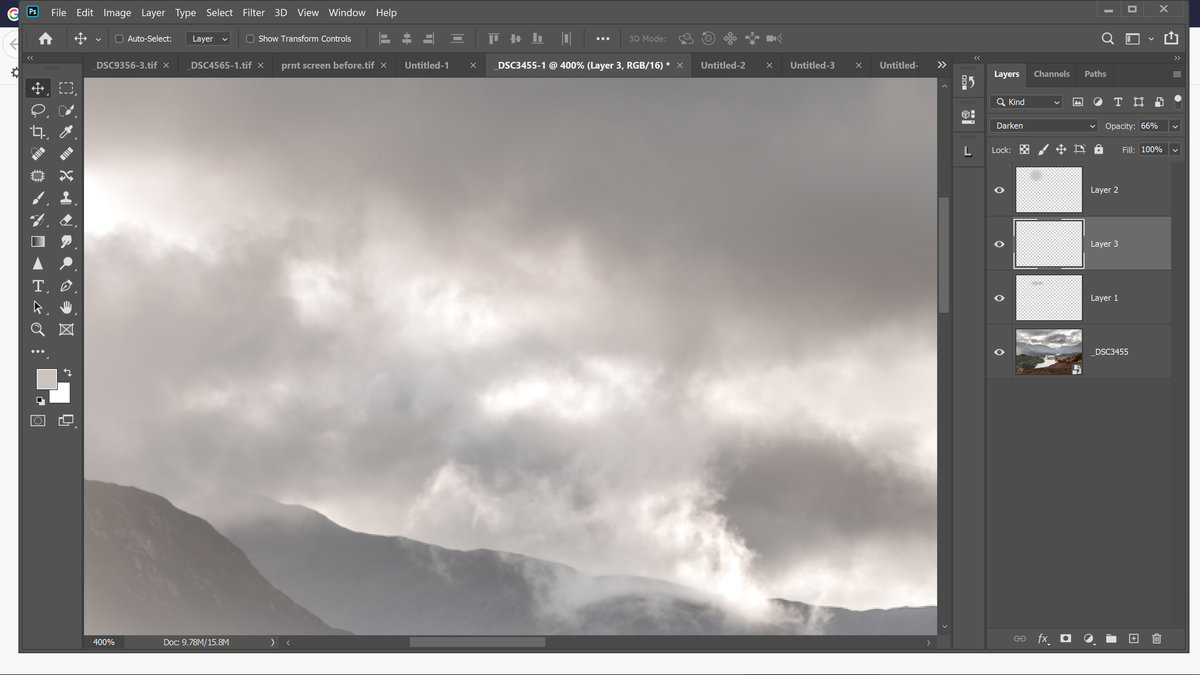
You may be wondering what the top layer is. It is a colour layer because sometimes the patch donor isn't the same colour as the surrounding area of the recipient, the colour layer lets you remedy this.
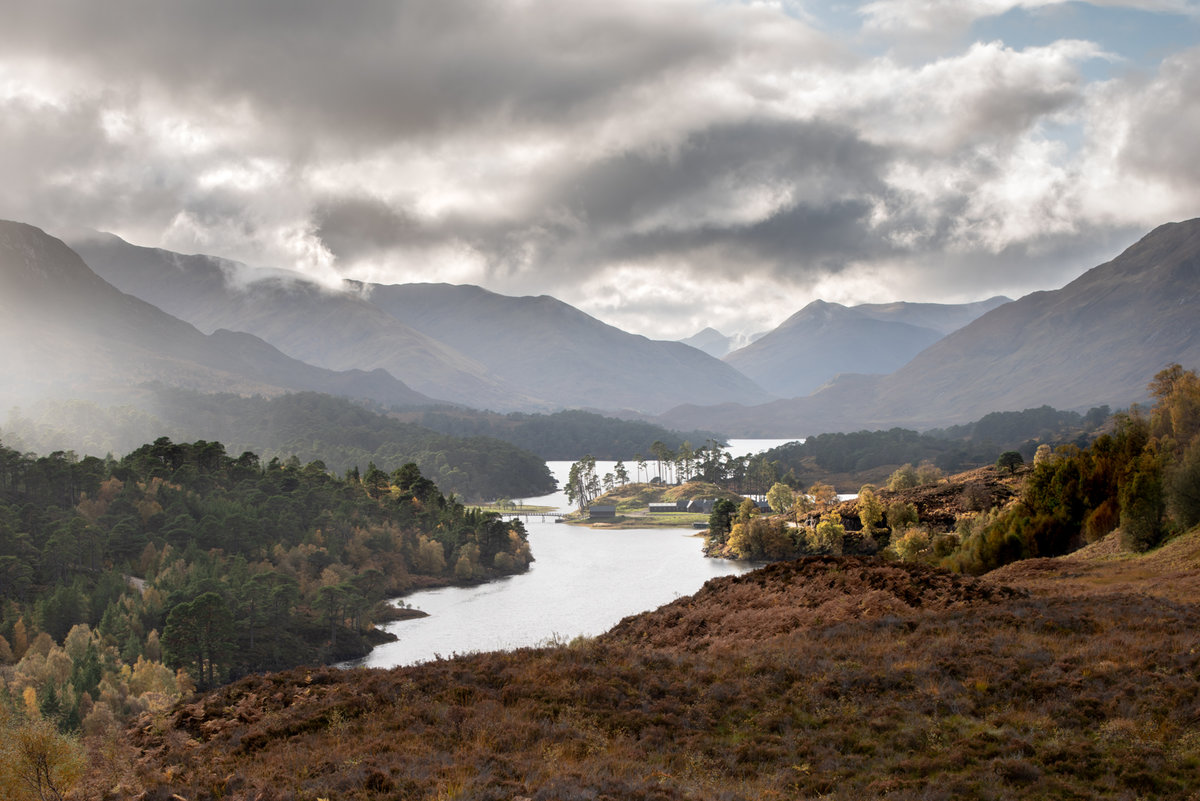
This was produced using a small 8 bit file and some of patching isn't perfect. I may redo this with a full sized file and post a better version later. Ken
These are the blown parts
You can probably guess
New Layer set to darken
Large soft clone stamp
select an area that isn't blown and paint it over the offending parts
Set the clone stamp to 100% and flow to around 30% and paint over the offending parts. It will probably be too dark so just reduce the layer opacity.
I use a separate layer for each "patch" this allows me to change the opacity for each blown area.
You may be wondering what the top layer is. It is a colour layer because sometimes the patch donor isn't the same colour as the surrounding area of the recipient, the colour layer lets you remedy this.
This was produced using a small 8 bit file and some of patching isn't perfect. I may redo this with a full sized file and post a better version later. Ken


