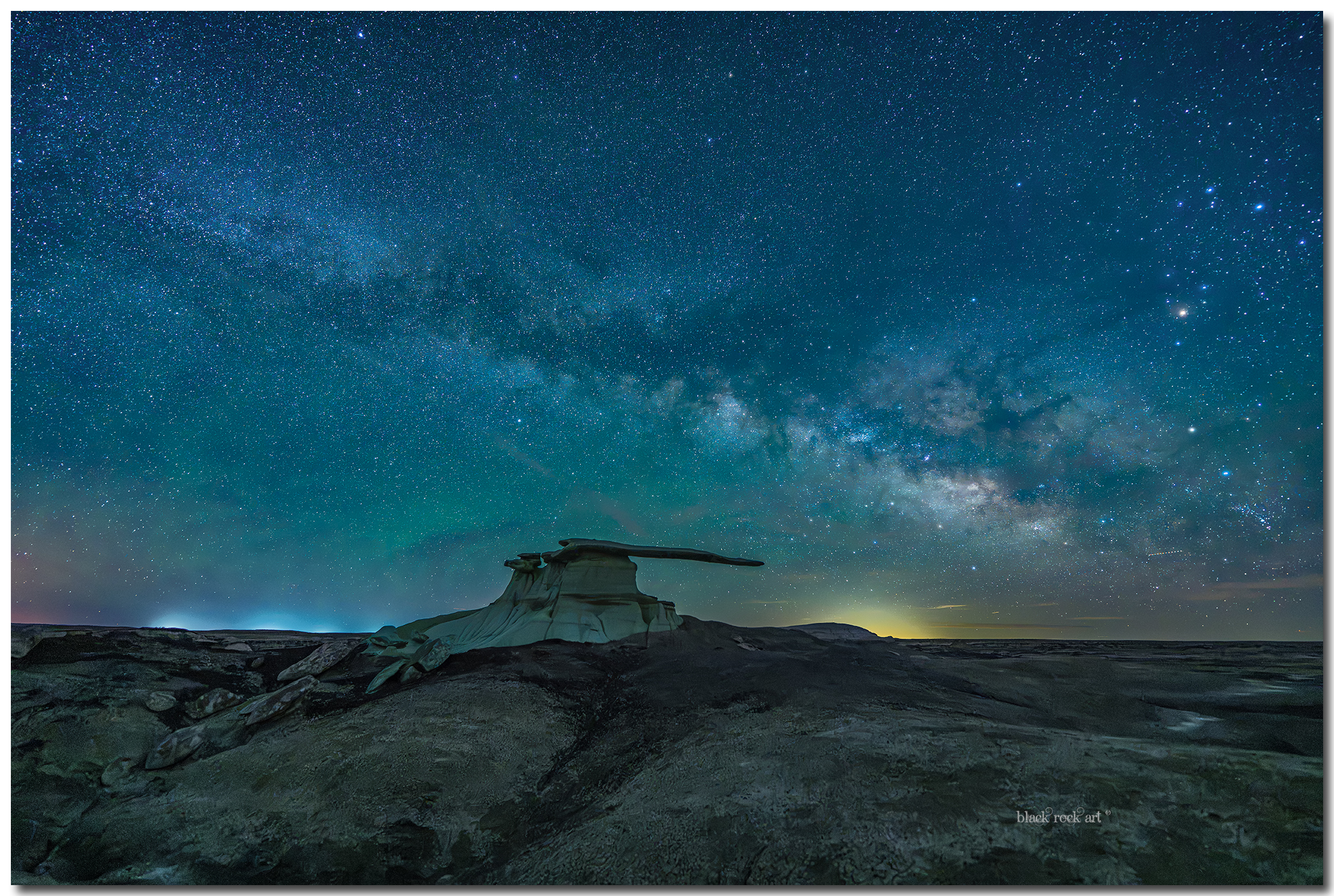
King Of Wings At Midnight

Midnight in the Bisti/De-Na-Zin Wilderness. Nothing but earth, sky, and the Milky Way.


This is King of Wings — a sandstone hoodoo that has stood here for millions of years, a remnant of an ancient seafloor now lifted into desert silence. That night there was no wind, no light, no sound. Just this stone wing holding up the entire galaxy, and me standing beneath it, feeling how small a person really is.


The universe doesn't answer. It simply exists, vast enough to silence you. And that smallness is exactly the moment you finally see something true.

Comments & critiques are welcome.

Oliver

This is the updated version:

BRC05927KingWingsFBV2.jpg


BRC05927KingWingsFB.jpg


3rd version:

BRC05927KingWingsV3.jpg
 
Last edited:

JimFox

Moderator
Staff member
Hey Oliver,

Love the Prose.

Love the composition.

But the WB is off in this image. One easy check is the stars, they are not white but blue. And then because of that, the Milky Way actually is quite faded. Easiest way to get the right WB, or a WB closer to what it should look like is just take the Image into ACR, then in Color use the Eye Dropper tool and just draw a large rectangle inside of that frame you have. And immediately the WB will pop into place, and you will see some gorgeous colors. There is some beautiful Airglow along the Horizon, the MW separates itself now. Add some Clarity and Dehaze to the sky to add more contrast, and you will have a beauty.

And I know, because I already tested that on your image. :)
 
Hey Oliver,

Love the Prose.

Love the composition.

But the WB is off in this image. One easy check is the stars, they are not white but blue. And then because of that, the Milky Way actually is quite faded. Easiest way to get the right WB, or a WB closer to what it should look like is just take the Image into ACR, then in Color use the Eye Dropper tool and just draw a large rectangle inside of that frame you have. And immediately the WB will pop into place, and you will see some gorgeous colors. There is some beautiful Airglow along the Horizon, the MW separates itself now. Add some Clarity and Dehaze to the sky to add more contrast, and you will have a beauty.

And I know, because I already tested that on your image. :)
Hi Jim, yeah you' are quite right. Um, on the night of taking this picture there were a low clouds flying by so I was playing around um, yeah so I think I can get the colors pop right

Oliver
 

JimFox

Moderator
Staff member
Hey Oliver,

Your update doesn't work for me, the colors barely changed. Your WB is quite aways off.

If you want I can post an edit of it, nothing fancy, but a simple WB adjustment to show you where I think it should be. Just let me know if it's okay to post that here.
 
I like the foreground better in your update, but I think the sky is still too cyan - I'd add red to the sky.

Thanks Michael, I have updated the edit.

Hey Oliver,

Your update doesn't work for me, the colors barely changed. Your WB is quite aways off.

If you want I can post an edit of it, nothing fancy, but a simple WB adjustment to show you where I think it should be. Just let me know if it's okay to post that here.
Thanks Jim,

I have been playing with night sky for awhile, the thrid version brings out the colors of the stars.

Oliver
 

JimFox

Moderator
Staff member
Thanks Michael, I have updated the edit.


Thanks Jim,

I have been playing with night sky for awhile, the thrid version brings out the colors of the stars.

Oliver
Hey Oliver. The 3rd version is better. But your stars are still blue. They should be white. That's always the best insider tip to knowing if your white balance is off.

So maybe I should just say it looks great, as you have been trying. But it's not. And what kind of friend would I be? :)

How did you determine what to change the White Balance too? Just by looks? Or did you use the Color Picker tool in ACR and draw a large box that covers both the sky and ground like I suggested?
 
Top Bottom