

Mike Lewis
Staff Member
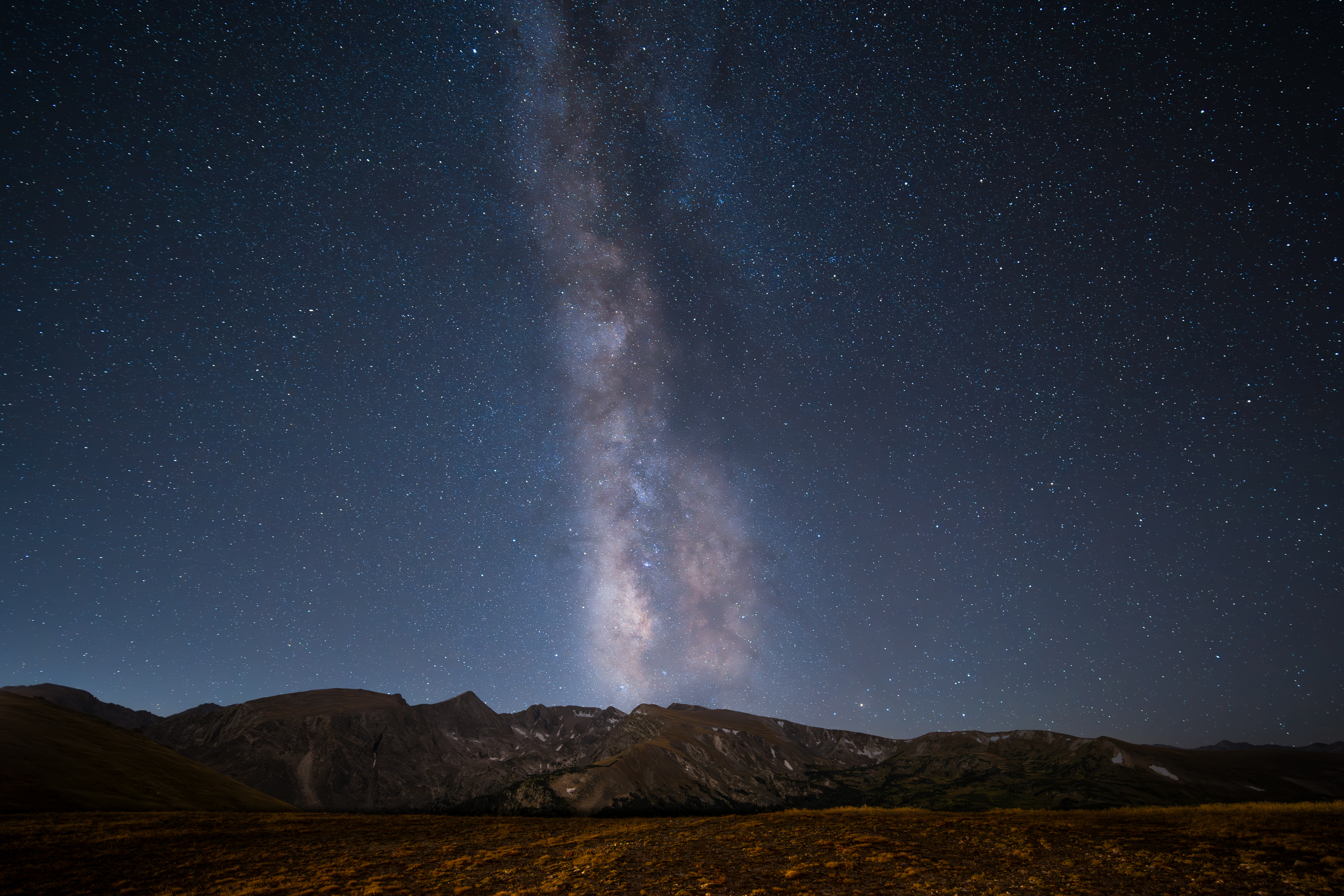
So I am still trying to get my technique and proficiency up on Nightscape images and Milky Way images in particular in preparation for my upcoming trip to Australia. I had an unfixable focusing issue with my previous lens designated for this type of shooting so I bought a different lens and this was my first real chance to check it out. I headed up to my 'neighborhood' national park (RMNP) and went up on Trail Ridge Road. I lucked out on not only the weather (which I had scouted earlier) but also with the wind, which was unusually calm compared to the forecast. Even so, I managed to forget my heavy coat and ended up pretty chilly for much of the night.
I set up before dark and took a few foreground images of my first composition and then waited until the end of astronomical twilight to start shooting, although I took some dark frames prior in case I wanted to use them. I ended up playing about with ISO (shot both 3200 and 6400) aperture (shot both wide open at f/2 and stopped down to f/2.8) and exposure length (8, 10, 15 secs). I took groups of 5 images in between the cars still going by on the road.
1) The lens isn't perfect but seems serviceable, maybe even wide open at f/2.
2) at 1:1 star trailing is visible at anything beyond about 8 secs, but at reasonable viewing sizes is maybe OK even at 15 secs.
3) With all the excellent NR routines between normal processing tools and dedicated astrophotography processing tools noise is largely not a big concern and kinda obviates the need to stack sky images. Furthermore, the stacked image I did process using Sequator had more aberrations than a single shot, so I did not keep the result.
4) My first composition was not really centered on the Milky Way so even though it had a cleaner foreground image to use, I ended up using my second composition.
The Laowa 15mm f/2.0 lens used for this image does have some noticeable vignetting, which I was not able to remove to my liking in a very short attempt - I may work on that a little more, although it is not super objectionable to me as is.
So this is made from 2 images exposed as follows:
ML
I set up before dark and took a few foreground images of my first composition and then waited until the end of astronomical twilight to start shooting, although I took some dark frames prior in case I wanted to use them. I ended up playing about with ISO (shot both 3200 and 6400) aperture (shot both wide open at f/2 and stopped down to f/2.8) and exposure length (8, 10, 15 secs). I took groups of 5 images in between the cars still going by on the road.
1) The lens isn't perfect but seems serviceable, maybe even wide open at f/2.
2) at 1:1 star trailing is visible at anything beyond about 8 secs, but at reasonable viewing sizes is maybe OK even at 15 secs.
3) With all the excellent NR routines between normal processing tools and dedicated astrophotography processing tools noise is largely not a big concern and kinda obviates the need to stack sky images. Furthermore, the stacked image I did process using Sequator had more aberrations than a single shot, so I did not keep the result.
4) My first composition was not really centered on the Milky Way so even though it had a cleaner foreground image to use, I ended up using my second composition.
The Laowa 15mm f/2.0 lens used for this image does have some noticeable vignetting, which I was not able to remove to my liking in a very short attempt - I may work on that a little more, although it is not super objectionable to me as is.
So this is made from 2 images exposed as follows:
- Sky - single frame, 15 sec @ f/2.0 and ISO 6400, NR in Lightroom (using new AI based NR)
- Ground - Single frame, 300 secs at f/2.8 and ISO 1600, NR in Lightroom (using new AI based NR)
ML

 Pixel peeping is not needed, no one viewing this is going to pixel peep. They are just going to view it. If it's printed and in a gallery, you are supposed to view the prints from 6 feet away even. Your sky looks pretty good, so on one hand it's hard for me to say don't use 15 secs since your results are pretty good. But... why close down that amount of light if you don't have to? I would have suggested 25 secs and ISO 3200, and then check your histogram. Your histogram should be your guide. You want it to be more then 1/3rd from the left and less then half.
