Monkeyhead Nebula with Pixinsight

JimFox

Moderator
Staff member
I mentioned to @Mike Lewis that I was going to run the Monkeyhead Nebula data from the Seestar S50 through Pixinsight to see what difference it would make compared to just processing it on my phone where Seestar saves it's stacked jpg.

This is 56 minutes of 30 sec subs stacked in WBPP in Pixinsight and processed with the normal Pixinsight tools.

All comments are welcome,

Jim

PS. This was imaged in Bortle 9 skies in SoCal with an 86% moon

#1 - Pixinsight
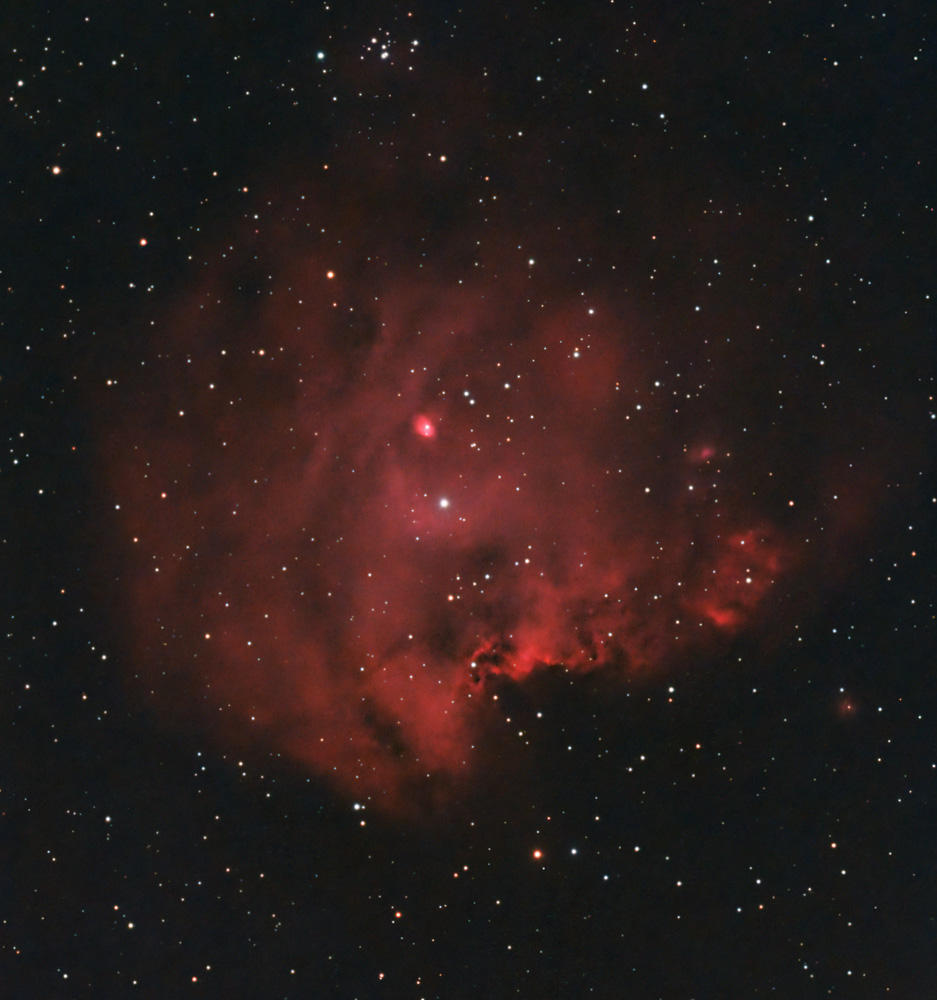
NGC2175_MonkeyHead_Seestar_20240129_dw.jpg


#2 - Original Edit (not in Pixinsight)
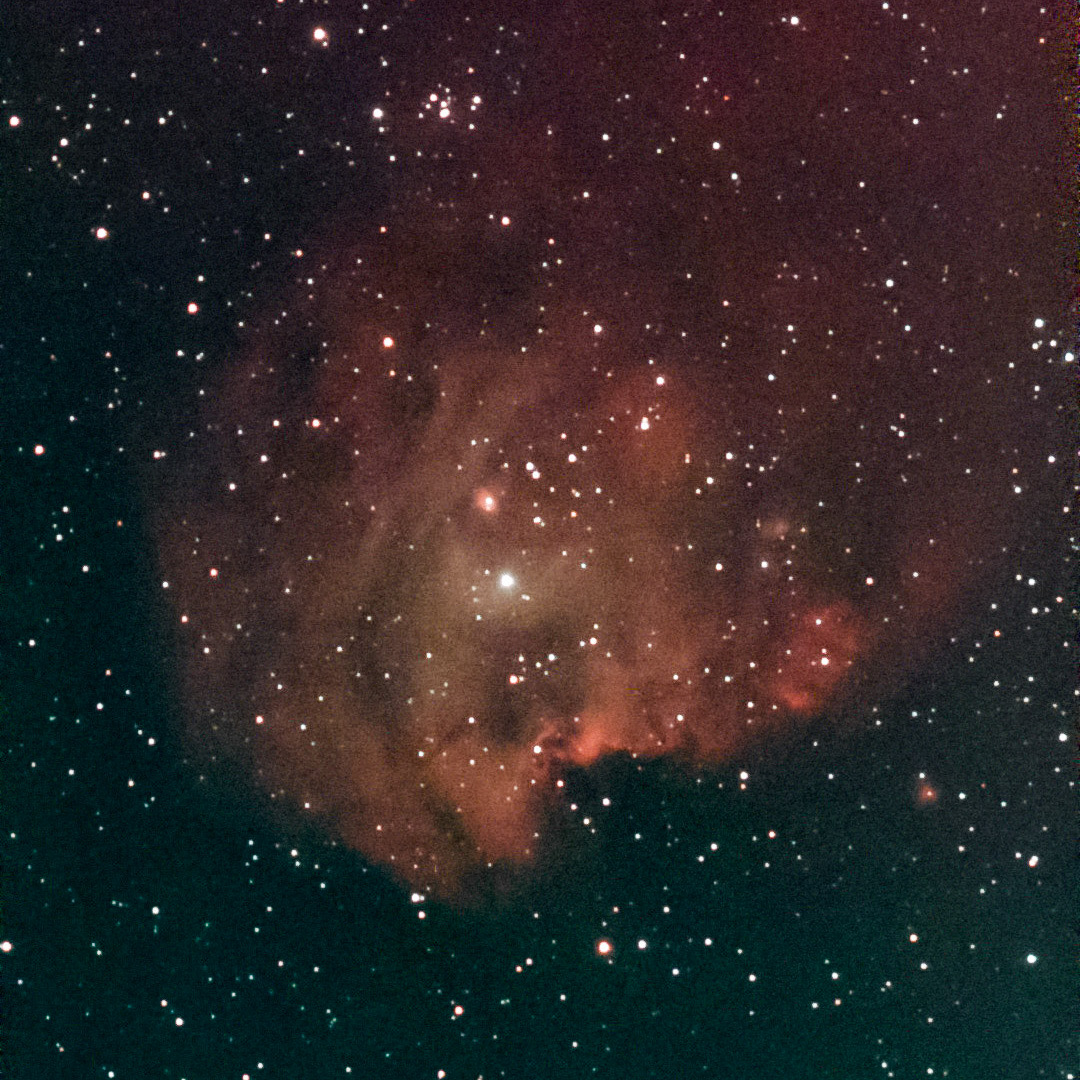
03DD370A-EB96-480D-9561-C12D7EBBCB41.jpeg


#3 - Image in Pixinsight (Not Cropped) before applying ABE to correct the severe Gradient
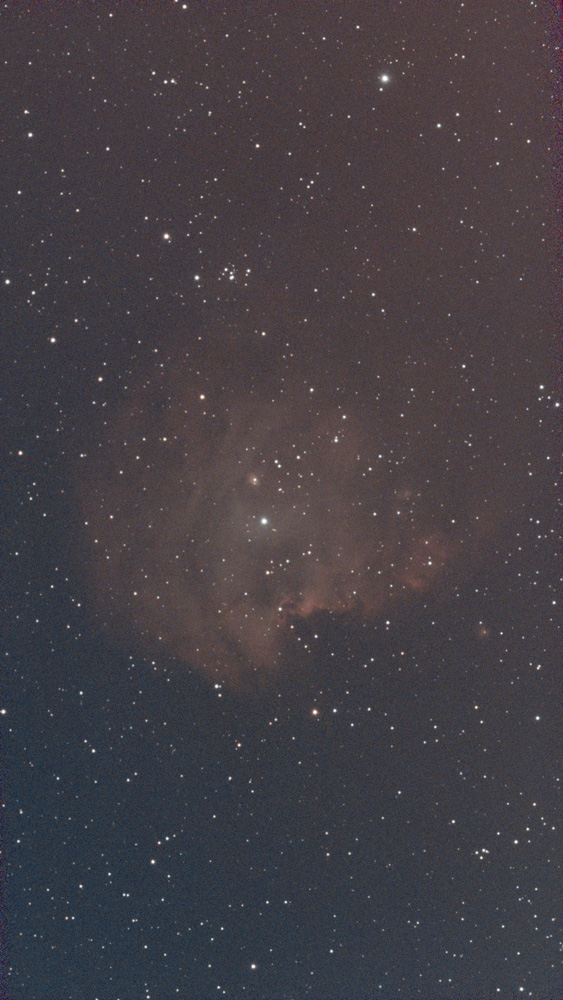
NGC2175_ColorCalib_Str.jpg
 

Mike Lewis

Staff Member
very fun result - definitely an upgrade in every way. if you processed using the individual FITs files from SeeStar, how did you manage the field rotation during the alignment process?

ML
 

Jameel Hyder

Moderator
Staff member
To my eyes both look nice in their own ways. I feel like there is more detail in the 2nd image. It appears that some extra noise reduction has come at the cost of detail.

The usual caveat applies however - I am not an Astro photographer.
 

JimFox

Moderator
Staff member
very fun result - definitely an upgrade in every way. if you processed using the individual FITs files from SeeStar, how did you manage the field rotation during the alignment process?

ML
The field rotation doesn't show up right away. You can see from my uncropped version the amount of field rotation this is at an hour. It's minimal and is easy to crop away. It's at about the 1.5 hour mark that it gets really noticeable. At about 1:45 it's really bad and internally it typically stops being able to stack them as the image has rotated too much.

The solution is that you image the same object for 1 to 1.5 hours every night about the same time to accumulate more data and get 3 or 4 hours on an object.

Quite a few guys are also converting the Seestar into an EQ mount by mounting it on a wedge. They get really good luck with imaging 3 or 4 hours with no field rotation. ZWO has not put their official stamp on EQ mounting, but they have stated that it won't hurt the Seestar for those who want to do that.

I haven't had time to try that.
 

JimFox

Moderator
Staff member
To my eyes both look nice in their own ways. I feel like there is more detail in the 2nd image. It appears that some extra noise reduction has come at the cost of detail.

The usual caveat applies however - I am not an Astro photographer.
Thanks Jameel. In my rush I noticed that the subtle color variation got lost in the Pixinsight version. That's not the fault of Pixinsight but of me. I probably pushed the Ha signal too hard. So I appreciate you catching it, as I had noticed it too.
 

Mike Lewis

Staff Member
The field rotation doesn't show up right away. You can see from my uncropped version the amount of field rotation this is at an hour. It's minimal and is easy to crop away. It's at about the 1.5 hour mark that it gets really noticeable. At about 1:45 it's really bad and internally it typically stops being able to stack them as the image has rotated too much.

The solution is that you image the same object for 1 to 1.5 hours every night about the same time to accumulate more data and get 3 or 4 hours on an object.

Quite a few guys are also converting the Seestar into an EQ mount by mounting it on a wedge. They get really good luck with imaging 3 or 4 hours with no field rotation. ZWO has not put their official stamp on EQ mounting, but they have stated that it won't hurt the Seestar for those who want to do that.

I haven't had time to try that.

Gotcha, that makes sense. Now if people are placing the SeeStar on a wedge, does that screw up it's initialization routine it uses to figure out where it is pointing?

ML
 

JimFox

Moderator
Staff member
Gotcha, that makes sense. Now if people are placing the SeeStar on a wedge, does that screw up it's initialization routine it uses to figure out where it is pointing?

ML
Because Seestar has 3 star calibration, it still works. You have to do an extra step or two. I haven't done it yet as I said, but basically once it's on the wedge, you rotate it to the north. Then you turn it on and then you manually point to a bright star through the app. Then you tell it to do it's 3 point calibration. When it's done, there is a syncronize button in the SkyAtlas, you press that, and you are good to go. Doing this makes the Seestar think it's at the North Pole, so you can't image things below 60 degrees I think.

So it does add an extra step or two, but the guys who have done it are imaging for 3 or 4 hours straight without any field rotation.
 

Mike Lewis

Staff Member
Because Seestar has 3 star calibration, it still works. You have to do an extra step or two. I haven't done it yet as I said, but basically once it's on the wedge, you rotate it to the north. Then you turn it on and then you manually point to a bright star through the app. Then you tell it to do it's 3 point calibration. When it's done, there is a syncronize button in the SkyAtlas, you press that, and you are good to go. Doing this makes the Seestar think it's at the North Pole, so you can't image things below 60 degrees I think.

So it does add an extra step or two, but the guys who have done it are imaging for 3 or 4 hours straight without any field rotation.

Ah, very clever. You will have to try it out at some point. What are the longest subs you can take with it at this point?

ML
 

JimFox

Moderator
Staff member
Ah, very clever. You will have to try it out at some point. What are the longest subs you can take with it at this point?

ML
The field rotation doesn't show up right away. You can see from my uncropped version the amount of field rotation this is at an hour. It's minimal and is easy to crop away. It's at about the 1.5 hour mark that it gets really noticeable. At about 1:45 it's really bad and internally it typically stops being able to stack them as the image has rotated too much.

The solution is that you image the same object for 1 to 1.5 hours every night about the same time to accumulate more data and get 3 or 4 hours on an object.
 
Top Bottom