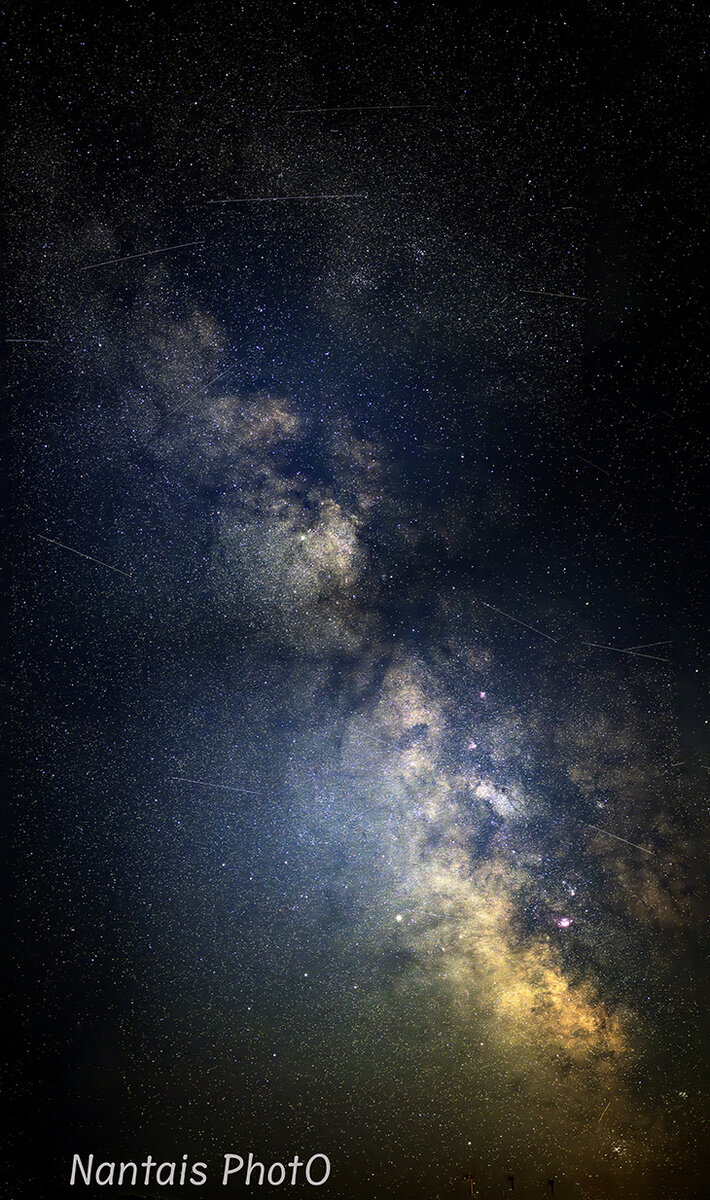
It's great to see you doing more night skies Rick. The Milky Way itself looks nice.
A couple of things.
1. Don't use Auto Fill when blending, it will add a totally inaccurate star fill. So I have that turned off when I do pano's. You will just need to practice more so that you are filling the while you want, so then after the pano is made and blended you can crop off the missing parts.
2. You aren't removing the vignetting from the lens, that's causing the dark corners and will cause the issue you are talking about with the black stripe with Kyle.
Typically my vignetting setting can be from 40 to 55. And that still won't remove it all, but for single images it will improve the look of your image. You don't want vignetting.
Then when it comes to pano, even with a vignette corrected images, you will still get that blending stripe unless you can back in a 2nd time and use a layer mask to make sure the image is uniform in darkness from the center to the edges. I have to take the time on all of my MW pano's to do this, if I don't, I get a lot of black stripes and an uneven sky.
You might want to work on just single images before tackling a night time pano, as it is a lot more processing work.