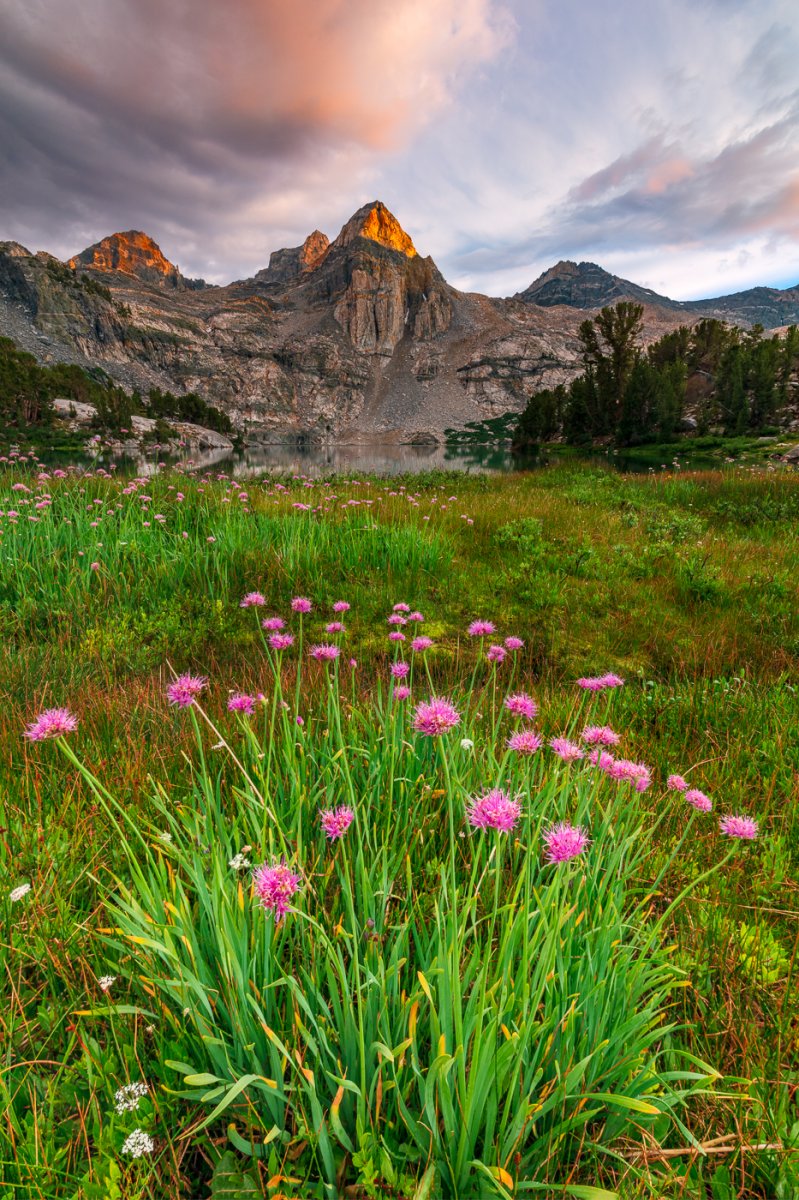
I really like your edited image in the first post. The colors are fantastic and the pop in the foreground and wildflowers are perfect!
My thoughts:You have 3 different images here. The original which I like, my eye goes up from the bottom, left-to-right across the lake, and then up the peak (see suggestion below). The second image is a square crop along the bottom of the image capturing just the bunch of wildflowers. Finally the third image, like the second is a square crop but of the upper part including the mountain and lake with the distant wildflowers as the foreground.
I'm a big fan of subtle vignettes, I think all three versions could use this just enough there to keep the viewers eye where you want it (think -13 to -17 with LR's vignette tool). Done the way I'm suggesting most people won't see it as a vignette though the pixel-peepers generally will. I usually use LR for my vignettes rather than PS, and often with the radial filter so I can control the shape and location rather than using the generic vignette tool which is so center-focused. Plus with the radial tool you can use it as a brush and then erase a little if it's feathered into a spot you don't want it.