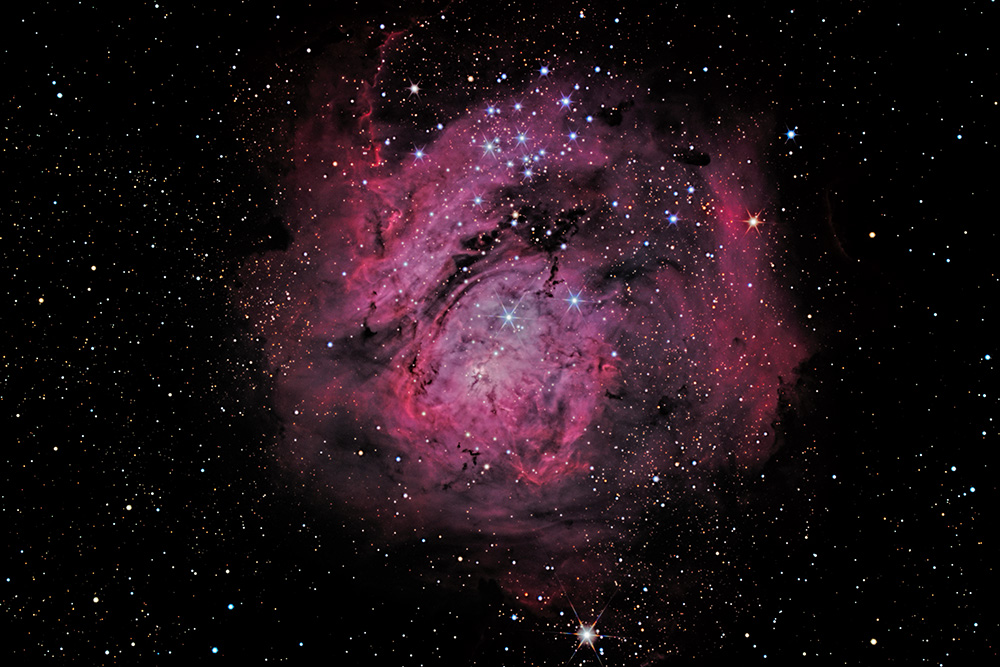
Lagoon Nebula + Brighter Edit

JimFox

Moderator
Staff member
Desperate times call on Desperate measures. :rolleyes:

I needed to work on some Deep Space Astro, and I still don't have anything new, so I went to Home (goldfieldastro.space) Goldfield Astro and processed another of their free sample data from their observatory. So I don't have any information on how many subs were used, I just am able to download the finished stacked tif. It's basically the same as what I get from my data after I stack mine in DeepSkyStacker. The only difference is I just didn't do the actual capture, but for me other then the stacking (which is automated for the most part) all of the work is in the processing anyway. So it's good practice.

This is the Lagoon Nebula or NGC6523.

All comments are welcome,

Jim

PS. Edited to brighten it up some.


#1 - Original
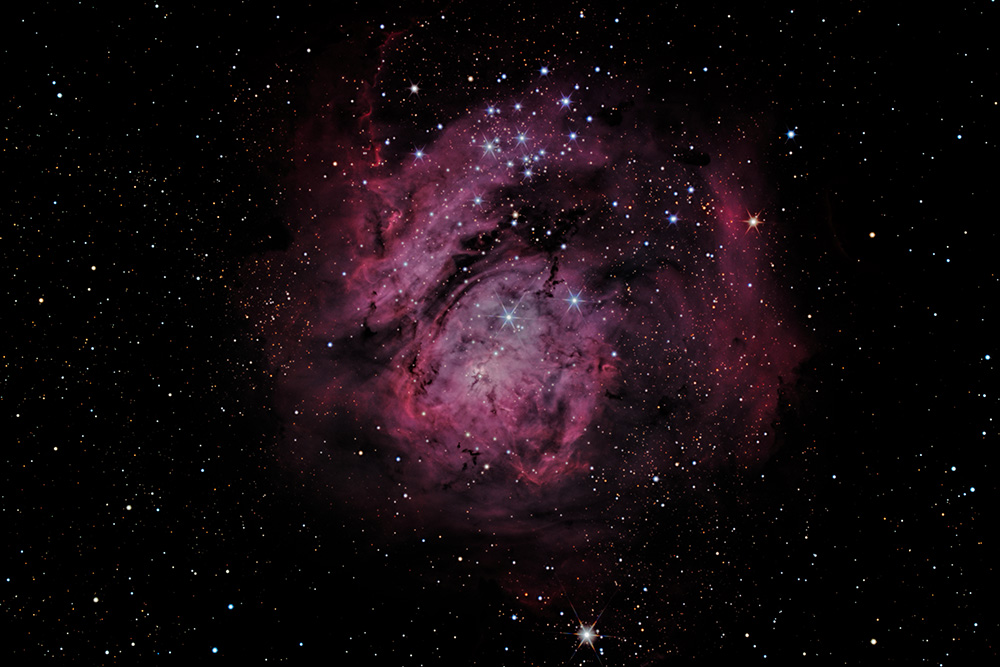
Lagoon_GoldFieldAstro_dw.jpg


#2 - Edited
Lagoon_d1w.jpg
 
Last edited:

JimFox

Moderator
Staff member
Nice colors and I like the star burst effect - especially with this level of detail.
Thanks Alan. It was looking kind of mediocre in processing I thought for most of it. I wasn’t really happy with it. Then towards the end it finally came to life a bit. If nothing else this was really good to help me stay in practice, as processing Deep Space Astro, requires a lot of finesse and fluidity in your processing.
 

Mike Lewis

Staff Member
Jim,

Fun to see you working these data sets - no doubt you can learn a lot that way. What developing tools are you using for this? Did you ever look at StarTools?

One comment is for something that it is easy to do (I still do it myself) - I think you have pushed the black level too hard, and lost some detail. In spite of what we think space is not pure black. Perhaps play a little bit with that and see what else might be revealed. Sometimes it is other problems in the image (amp glow, bad flat subtraction, bad noise, etc.) and making it darker is the best compromise, but often there is faint detail that you can still recover by bringing up the the blacks a little bit. As with all this, experimentation is your friend, and at the end of the day, getting it the way YOU want it to look is the most important.

ML
 

JimFox

Moderator
Staff member
Jim,

Fun to see you working these data sets - no doubt you can learn a lot that way. What developing tools are you using for this? Did you ever look at StarTools?

One comment is for something that it is easy to do (I still do it myself) - I think you have pushed the black level too hard, and lost some detail. In spite of what we think space is not pure black. Perhaps play a little bit with that and see what else might be revealed. Sometimes it is other problems in the image (amp glow, bad flat subtraction, bad noise, etc.) and making it darker is the best compromise, but often there is faint detail that you can still recover by bringing up the the blacks a little bit. As with all this, experimentation is your friend, and at the end of the day, getting it the way YOU want it to look is the most important.

ML
Thanks Mike, since it was stacked already I did the processing and stretching in Photoshop like I have been doing.

There was more detail, as you stated it's there but the fainter detail gets lost when the background sky goes black. This is the look I like, maybe I will change later but I like the darker sky for the look the contrast brings out. I have been pretty consistent I think with the look I like. :)

I haven't gotten Startools yet. I looked at it, it sounds like Startools is not for stacking, that you bring your stacked file into it? I have had so few DSO images lately, I haven't tried it yet since it has a 30 day trial, and I want to have more then 1 image to try in it. So maybe next month I will download it and try it.
 

chuckp

Well-Known Member
Jim, i know what you mean about contrast. I tend to make the background a little darker also. Everyone has their monitor set differently so I never know what others are seeing. It looks a little dark to me on my setup. There is a lot of red in that area of the sky. I would try to brighten a little.
 

JimFox

Moderator
Staff member
Jim, i know what you mean about contrast. I tend to make the background a little darker also. Everyone has their monitor set differently so I never know what others are seeing. It looks a little dark to me on my setup. There is a lot of red in that area of the sky. I would try to brighten a little.
Thanks Chuck, Let me lighten it up just a bit more.
 
Top Bottom