Let’s play #23

Status
Not open for further replies.

Kyle Jones

Moderator
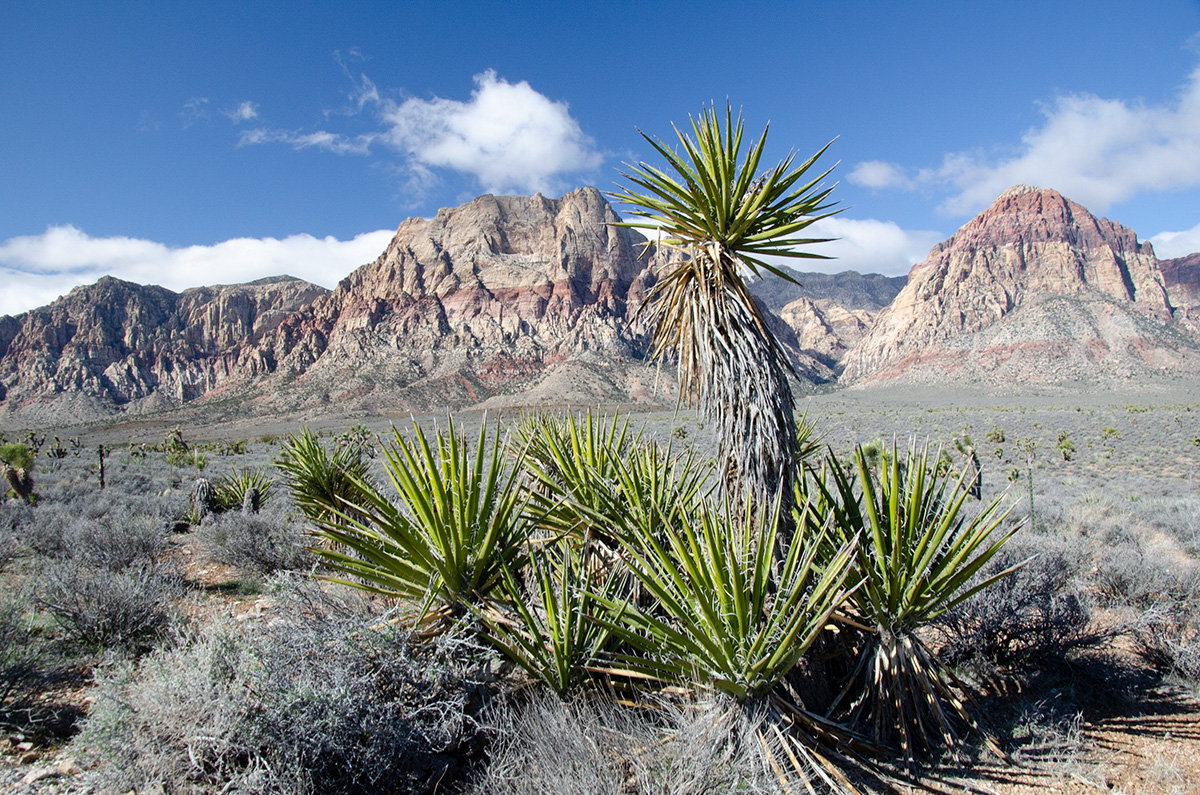
You put some warmth in this Kyle, that I like ;). How did you guys get the red in the mountains to show up so much? I did luminance & sat sliders for the red but mine didn't come out this red & I am loving it.
I got that by selecting the light tones and then creating an s-curve that darkened them and added contrast. I then painted that effect just into the mountains.
 

J. M. Livingston

Well-Known Member
I like how you brought the light to just the cactus & the two mountains.
Thank you. I used the lasso tool to select the two mountains and then did a curves adjustment to lighten just that area (feathered the selection at about 55 pixels). Duplicated the curves layer and mask, inverted the mask, then brought the curve down to darken the surround areas o the mountains. Learned this method from a guy named Bob Killen (National Parks Photography Expeditions) who called the technique "relighting the scene". Darkened the area around the Yucca with a radial filter vignette then erased the top of the vignette to keep the upper corners from darkening the sky.

Did a bunch of other stuff to it too i.e. contrast curves, a luminosity mask, and gently layered in some Nik filters as well (masked and light opacity).

Here's my full PS layer stack.

Capture.JPG
 

Darcy Grizzle

Well-Known Member
Thank you. I used the lasso tool to select the two mountains and then did a curves adjustment to lighten just that area (feathered the selection at about 55 pixels). Duplicated the curves layer and mask, inverted the mask, then brought the curve down to darken the surround areas o the mountains. Learned this method from a guy named Bob Killen (National Parks Photography Expeditions) who called the technique "relighting the scene". Darkened the area around the Yucca with a radial filter vignette then erased the top of the vignette to keep the upper corners from darkening the sky.

Did a bunch of other stuff to it too i.e. contrast curves, a luminosity mask, and gently layered in some Nik filters as well (masked and light opacity).

Here's my full PS layer stack.

View attachment 16845
Wow that's quite a stack but it seems to be worth the work :).
 
Status
Not open for further replies.
Top Bottom