Misty Dawn on Derwentwater

Ken Rennie

Well-Known Member
RAW file upload
https://we.tl/t-mHiQpWT96W

This is both a trial to see if I can embed a link to a RAW file into a post and an opportunity to give everyone an opportunity to process an image that took me 3 years to tackle. Ken
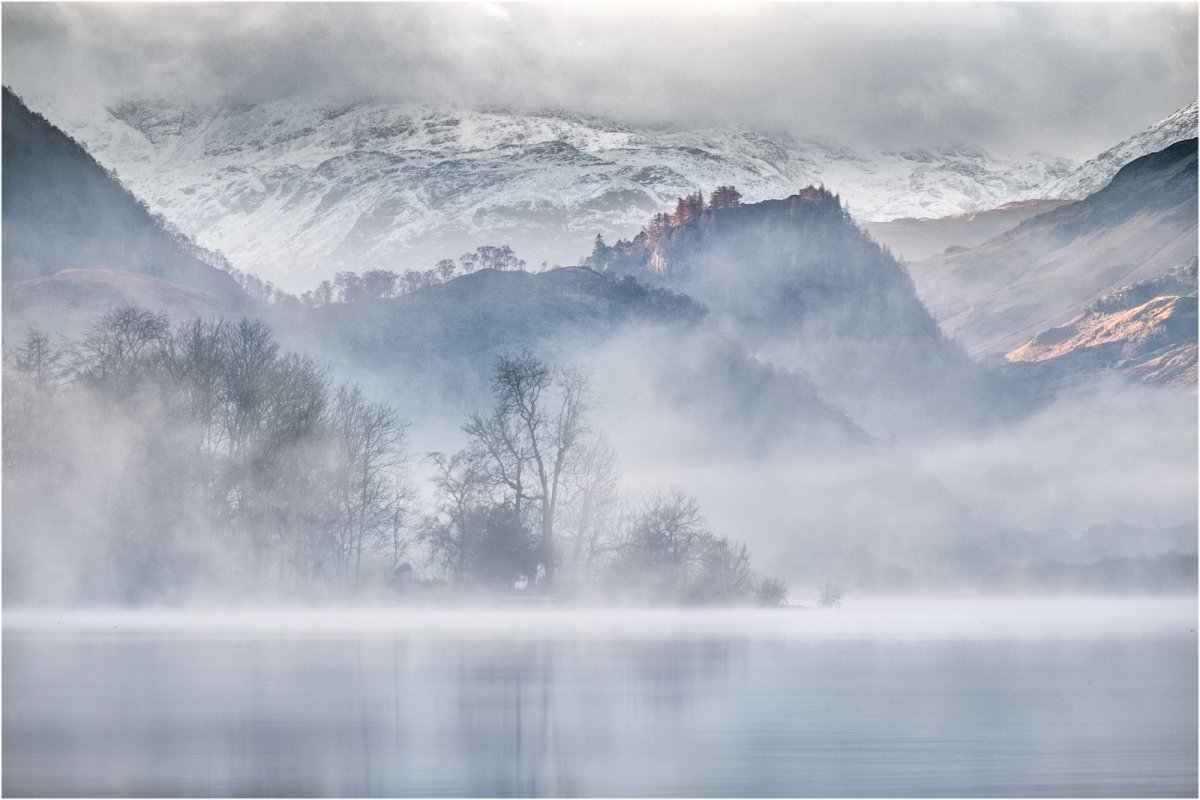
_DSF0611-1 white border v2.jpg
 
Last edited:

JimFox

Moderator
Staff member
It looks like it went well Ken with the upload, and wow... what a fantastic view!
 

Ben Egbert

Forum Helper
Staff member
Ok, here is my take on this one Ken. I used my normal work flow and came up with a darker and warmer rendering.

_DSF0611 ben.jpg
 

Ken Rennie

Well-Known Member
Too rich for me Ben but as I said at the start it took me 3 years to produce an image that looked ok to me. Extreme expose to the right and low contrast images like this loose their delicacy easily which, for me, is their appeal. Ken
 

Ben Egbert

Forum Helper
Staff member
Right Ken, and I am sort of the opposite, so these sorts of exercises will show the various ways to interpret a scene.
 

Ken Rennie

Well-Known Member
Right Ken, and I am sort of the opposite, so these sorts of exercises will show the various ways to interpret a scene.
Ben on re-reading my comment it can read that I am being critical, not so. I would not post it for people to process it if I was not prepared to see renderings that are totally different from my attempt.
 
Douglas did you just "darken" my jpeg or did you use the RAW file? Ken
Like I said, this doesn't need much work if any. I played around with a number of things but thought the gamma correction under exposure down to 90 seemed to work the best. I did it on the jpeg file.
 

Ken Rennie

Well-Known Member
Like I said, this doesn't need much work if any. I played around with a number of things but thought the gamma correction under exposure down to 90 seemed to work the best. I did it on the jpeg file.
I am happy with the final version Douglas, my bright version or your darker one probably just depends upon how bright your monitor is or whether you are looking on a light or dark background. However I don't understand "gamma correction under exposure down to 90". If I was going to darken this I woud apply a curve with the midde pulled down to taste probably using luminosity mode to stop the saturation increasing too much. Is this much the same thing? Ken
 
I am happy with the final version Douglas, my bright version or your darker one probably just depends upon how bright your monitor is or whether you are looking on a light or dark background. However I don't understand "gamma correction under exposure down to 90". If I was going to darken this I woud apply a curve with the midde pulled down to taste probably using luminosity mode to stop the saturation increasing too much. Is this much the same thing? Ken
A gamma correction only affects the darker tones. Below is an article describing how it works and why it corrects for what the camera sees and converts it to what the eye sees. In photoshop do: image>adjustments>exposure>gamma correction.

https://www.cambridgeincolour.com/tutorials/gamma-correction.htm
 
Last edited:
Top Bottom