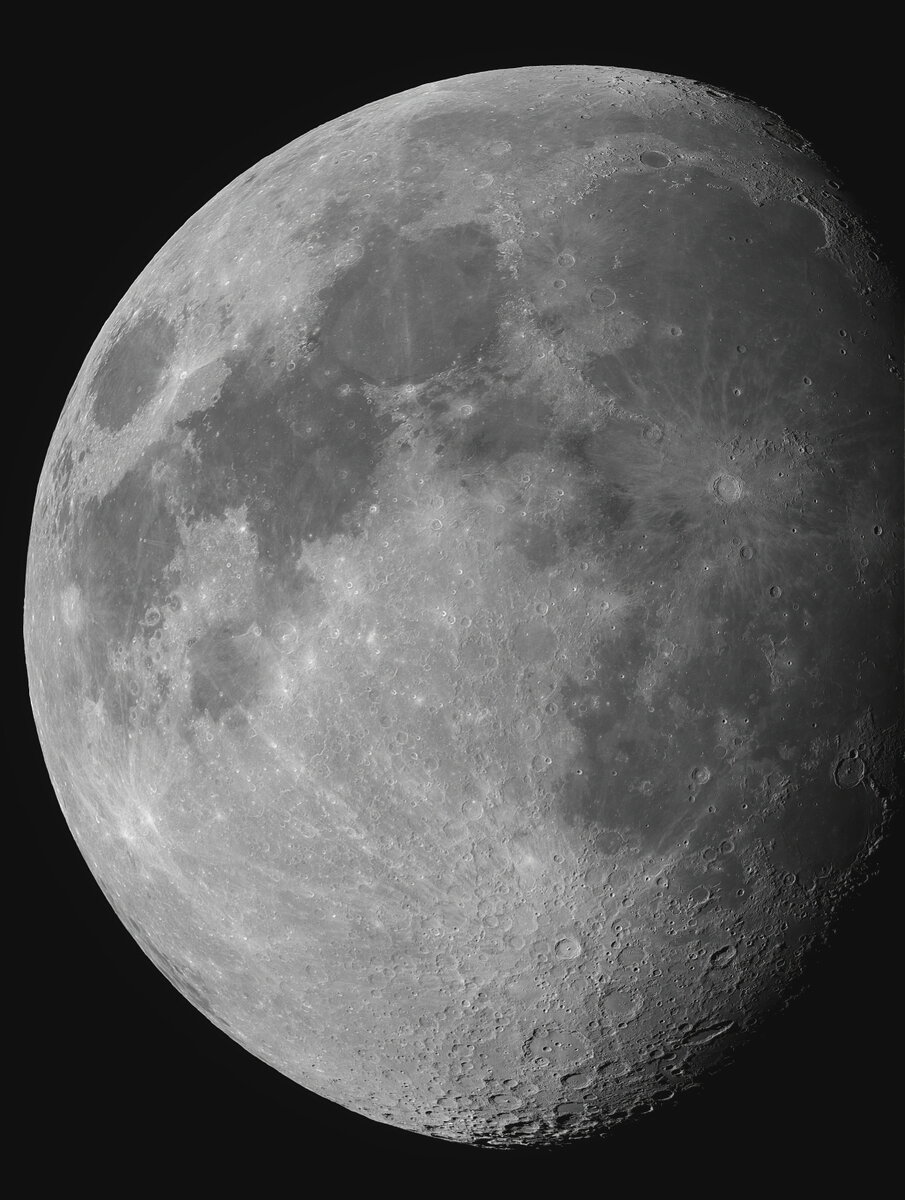
Moon 5-22-21

JimFox

Moderator
Staff member
Such sweet detail Chuck! With part of the moon in shadow this works perfect.

What mount do you use? How about a guide scope? I am looking to upgrade my Astro so I have been doing more research into mounts, guiding and Astro cameras.
 

chuckp

Well-Known Member
Such sweet detail Chuck! With part of the moon in shadow this works perfect.

What mount do you use? How about a guide scope? I am looking to upgrade my Astro so I have been doing more research into mounts, guiding and Astro cameras.
Thanks Jim, in my observatory I have the Astro-Physics Mach 1 mount, Orion 50mm guide scope and camera.
 

Mike Lewis

Staff Member
Chuck,

Exquisite result here - just oodles of fine detail wsith such a balanced exposure make for a natural looking result. I assume this was a lucky imaging stack style processing run for this?

ML
 

chuckp

Well-Known Member
Chuck,

Exquisite result here - just oodles of fine detail wsith such a balanced exposure make for a natural looking result. I assume this was a lucky imaging stack style processing run for this?

ML
Thanks Mike, I used Sharpcap with the ASI 1600 and used 50 frames out of 100.
 

JimFox

Moderator
Staff member
Hey Chuck, I am looking at this some more. And this is probably the benefit of your stacking images for this, but I really like how you are able to get such great detail and definition without having to resort to adding contrast like I have to do. This really makes for a pleasing image this way.
 

chuckp

Well-Known Member
Hey Chuck, I am looking at this some more. And this is probably the benefit of your stacking images for this, but I really like how you are able to get such great detail and definition without having to resort to adding contrast like I have to do. This really makes for a pleasing image this way.
When capturing the image I always adjust the gain and exposure to get it to look the smoothest across the whole surface when viewing on the computer screen. It usually comes out a little dark and I adjust the curves to get it balanced and brighten it up. I try not to sharpen too much in registax and use photoshop or Topaz for sharpening and noise. I'm also using a collimated 9.25 scope with a stable atmosphere, that really helps.
 

JimFox

Moderator
Staff member
When capturing the image I always adjust the gain and exposure to get it to look the smoothest across the whole surface when viewing on the computer screen. It usually comes out a little dark and I adjust the curves to get it balanced and brighten it up. I try not to sharpen too much in registax and use photoshop or Topaz for sharpening and noise. I'm also using a collimated 9.25 scope with a stable atmosphere, that really helps.
That all makes sense Chuck. Thanks!
 
Top Bottom