Salvage Saturday

Ben Egbert

Forum Helper
Staff member
Time to pile on with your reworked images.

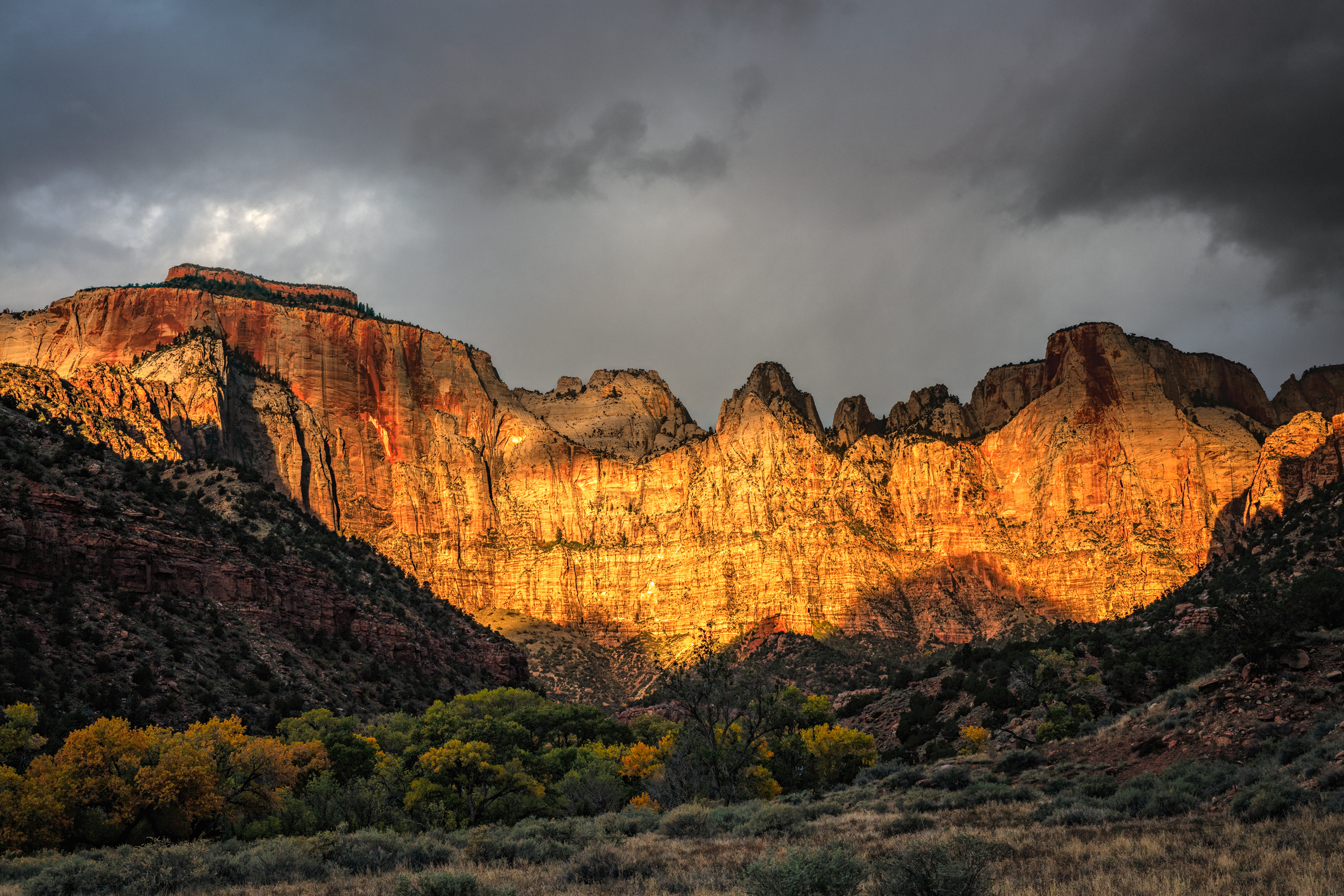
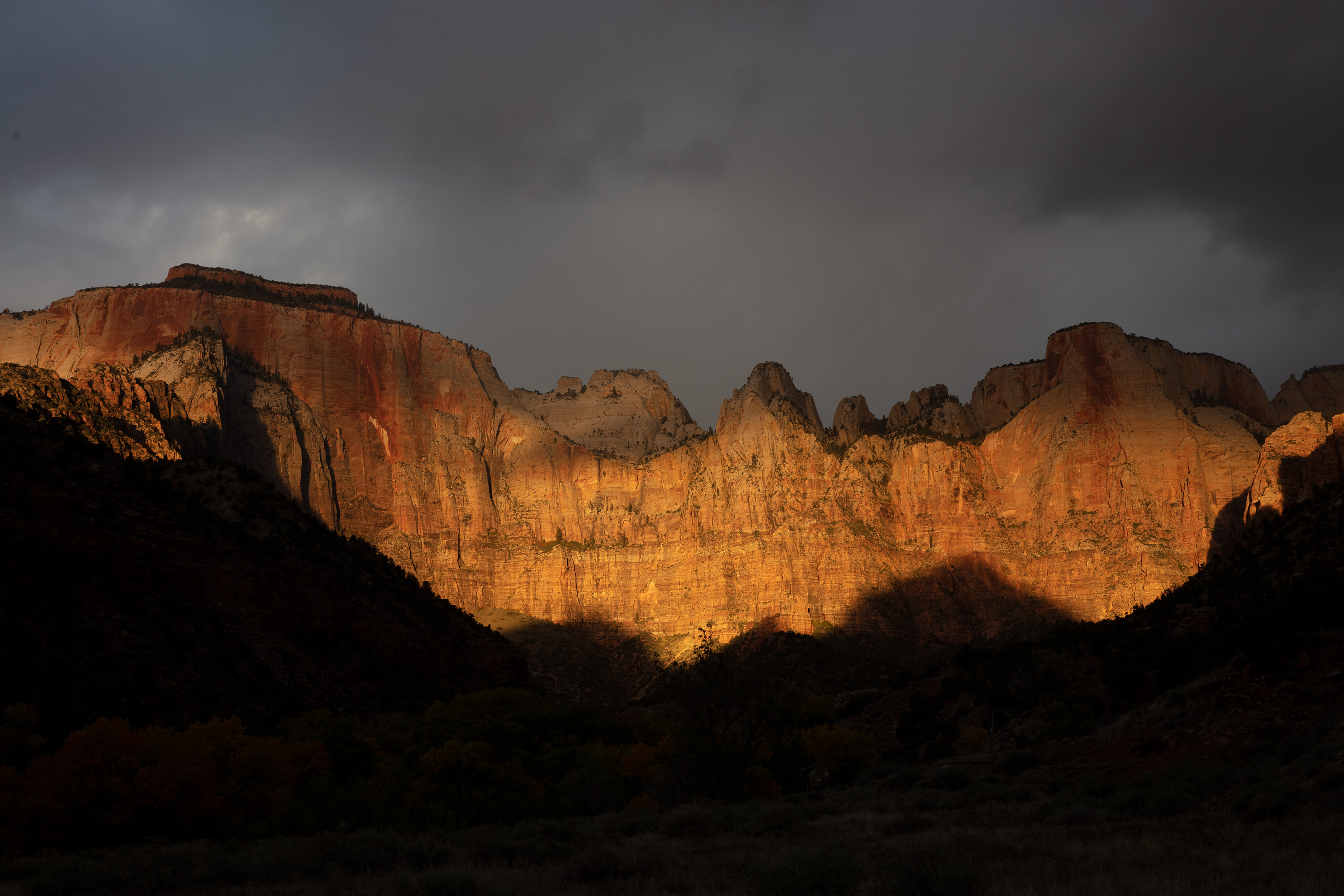
This image is from 2015 with a Canon 5Dsr which was no slouch other than being weak for DR. I exposed for the cliff and sky which produced the straight out pf camera image seen in the last image.

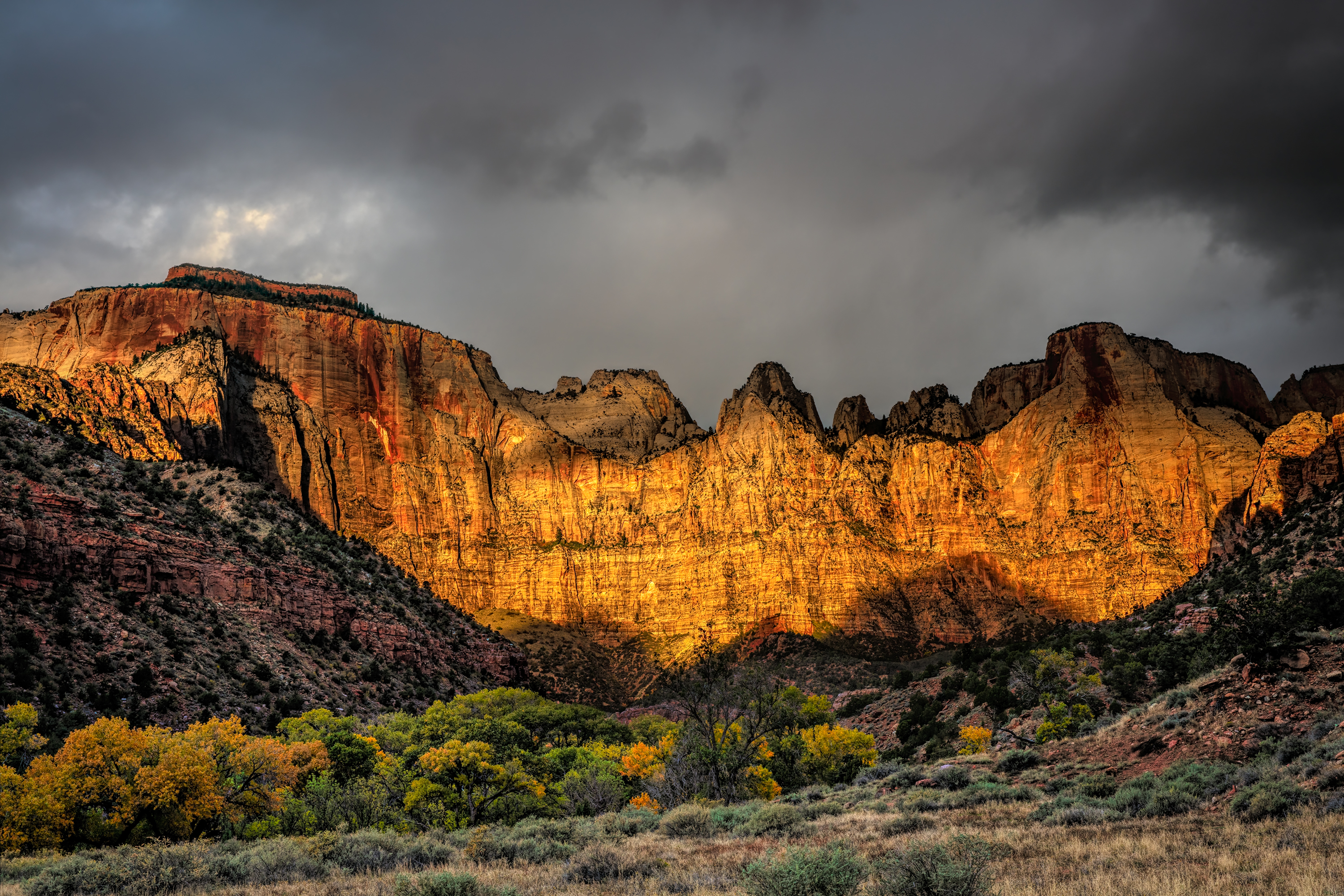
The second image was my best effort at the time and indeed, I printed it, but was never happy with the print.

The first image is what I was able to produce yesterday using a lighter image for the foreground and the new subject masking feature in Photoshop to isolate the cliffs.


If I ever reprint this image, I will lighten the entire image some more.

brightest
151104-3325-3323A 5DS- R.jpg


Older processing

151104-3325-5DS- R.jpg


Straight out of camera.

151104-3325-5DS- R ssoc.jpg
 

AlanLichty

Moderator
Nice job with the rework Ben - correcting for dynamic range seems to be one of the main salvage tasks for older captures with digital cameras. Happily its one we can do a lot with these days.
 

AlanLichty

Moderator
I am following Ben with another example of deep shadow recovery. This shot was from a hike up Fern Canyon in Prairie Creek Redwoods State Park. The lighting conditions were some of the worst I have ever tried shooting with sea mist from the Pacific amplifying the morning sun that was almost directly in my face. Adding to the problem was the limited DR of an old Canon 20D. Here is the original straight out of the camera:

FernCanyon4-orig.jpg


And the salvage job after some extensive retouching. DxO pureRAW did an amazing job of recovering details in the shadows although it did not do the final lighting adjustments necessary to illuminate the scene. That task was done by hand in PS.

FernCanyon4.jpg
 

JimFox

Moderator
Staff member
Time to pile on with your reworked images.

This image is from 2015 with a Canon 5Dsr which was no slouch other than being weak for DR. I exposed for the cliff and sky which produced the straight out pf camera image seen in the last image.

The second image was my best effort at the time and indeed, I printed it, but was never happy with the print.

The first image is what I was able to produce yesterday using a lighter image for the foreground and the new subject masking feature in Photoshop to isolate the cliffs.


If I ever reprint this image, I will lighten the entire image some more.

brightest
View attachment 51777


Older processing

View attachment 51778


Straight out of camera.

View attachment 51776
Wow Ben!!! That reworked version from yesterday really looks awesome! Your initial processing looked good, but the rework looks awesome!
 

Ben Egbert

Forum Helper
Staff member
Wow Ben!!! That reworked version from yesterday really looks awesome! Your initial processing looked good, but the rework looks awesome!

Thanks Jim, I still had to feather in the bright foreground but having the main subject masked allowed me to do this without spilling into the cliffs.
 

John Holbrook

Well-Known Member
Foothills Parkway, TN October 2010, Nikon D700 I reedited the RAW file for luminance and color. Used “dehaze” on the receding hills and lowered the highlights on the fog. I used Lightroom Mobile on my iPad—not as exacting with the masks as on my computer but just wanted to experiment.

8A1C21A3-E47A-4252-89F7-F9CAD90F8C12.jpeg
 
Last edited:

Ben Egbert

Forum Helper
Staff member
Foothills Parkway, TN October 2010, Nikon D700 I reedited the RAW file for luminance and color. Used “dehaze” on the receding hills and lowered the highlights on the fog. I used Lightroom on my iPad—not as exacting with the masks as on my computer but just wanted to experiment.

View attachment 51786

That dehaze worked well in this example, you have some sweet color here,
 

AlanLichty

Moderator
Alan, here is a quick edit using the trial version of DXO Deep prime. Very impressive. Unlike my bright version which is a blend, this is the dark version alone,

This version has a brighter cliff.
Nice one - its hard to not be impressed with what DxO has done with this application. The one caveat is that you have to have used a camera body/lens configuration that DxO knows about in order to use PureRAW. As the name suggests it only works with RAW files. It does not work with my olde Canon D60 .CRW files or any iPhone files.
 

dan swiger

Well-Known Member
This was taken along the Garrapata coast in 2014. 1st sunset image using Velvia 50 in 4x5.
Had a lot to learn about working with it's dynamic range!
Should have used a GND filter to allow better exposure of the cliff & rocks
Attempted some PS recovery this time.
I plan on a revisit with the right tools and some Provia
T45rvpvs_0001_140212_p1w.jpg
 

Ben Egbert

Forum Helper
Staff member
This was taken along the Garrapata coast in 2014. 1st sunset image using Velvia 50 in 4x5.
Had a lot to learn about working with it's dynamic range!
Should have used a GND filter to allow better exposure of the cliff & rocks
Attempted some PS recovery this time.
I plan on a revisit with the right tools and some Provia
View attachment 51788
Hard to see how this can be improved its simply gorgeous
 
Foothills Parkway, TN October 2010, Nikon D700 I reedited the RAW file for luminance and color. Used “dehaze” on the receding hills and lowered the highlights on the fog. I used Lightroom Mobile on my iPad—not as exacting with the masks as on my computer but just wanted to experiment.

View attachment 51786
John, I remember the old venerable D700, it was the first workhorse camera for the pros, If you still have the original raw file, you might recover some more hightlight details,. Nice colors, remind me of the Great Smokey.

Oliver
 
Top Bottom