Scenic Corridor Natural Bridge + extra comparisons

AlanLichty

Moderator
This is a shot of one of the natural bridges along the Samuel Boardman Scenic Corridor on the Oregon Coast. One of many images I took last March on a roadtrip dedicated to capturing aerial images of the Oregon coast between Newport and Brookings.

This image was processed using a trial version of DxO's PureRAW plugin in Lightroom. I am quite impressed with how it handles the DNG output from my old Mavic Air 2 in 48MP mode. It would be charitable to call the pixels from that sensor in 48MP mode dirty so processing them is painful enough that I spent $3k to buy myself a Mavic 3 instead. DxO's application makes processing these images much easier and with better results than I was getting out of my previous workflow.

Click through for a much more detailed view.
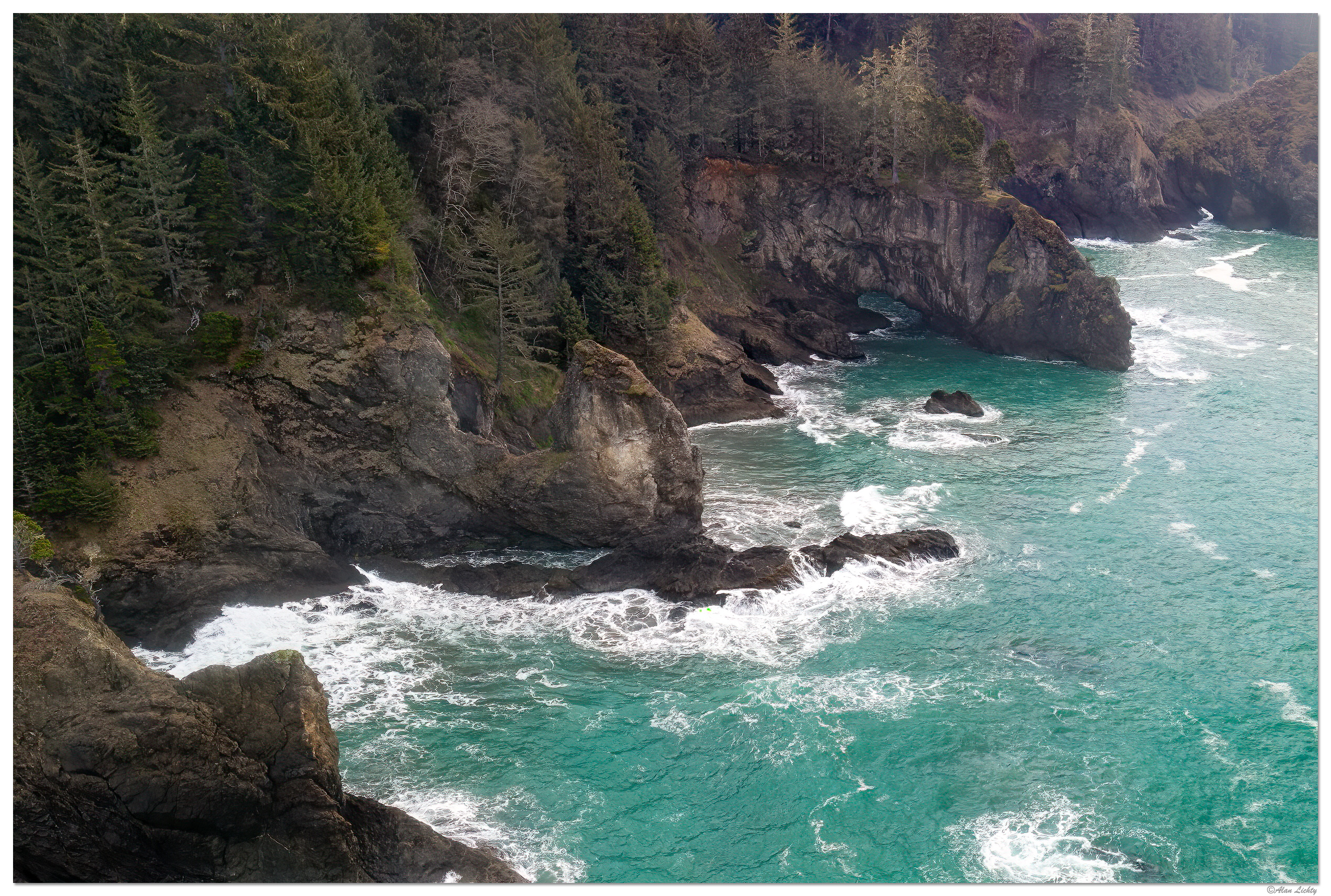
DJI_SBSC-NatBridges.jpg


C&C always welcome.
 
Last edited:

JimFox

Moderator
Staff member
Very cool Alan, I am glad it's helping you.

Next time I want a video of you flying your drone through the bridge! :)
 

AlanLichty

Moderator
Very cool Alan, I am glad it's helping you.

Next time I want a video of you flying your drone through the bridge! :)
Thanks Jim - flying through a rock tunnel is a quick path to losing a drone right after the stone blocks your controller signal :rolleyes:
 

AlanLichty

Moderator
Very nice Alan - definitely a significant improvement in shadow detail compared to some of your earlier images from the Air 2.
Thanks Jameel - I will try this technique out later on with some of the shots I took that didn't fare well with the deep shadows. The Air 2 didn't handle wide dynamic range well at all and most of the workable shots I got with it had limited DR.
 

MonikaC

Well-Known Member
That looks really good, Alan. It would be interesting to see the 'before' as well as the 'after'. Enjoy your new toys!
 

AlanLichty

Moderator
That looks really good, Alan. It would be interesting to see the 'before' as well as the 'after'. Enjoy your new toys!
Thanks Monika - ask and ye shall receive. I cropped out a section of the original image so this could be viewed at 100% for a comparison. Both of these images are unprocessed other than changing the color profile in PS. The only resizing is from the crop and they are otherwise sans any edits beyond whatever DxO did with the PureRAW. I uploaded them to the gallery so they can be viewed at 100%.

First up is the original image with no edits beyond cropping and setting the color profile to sRGB. The shadows are the biggest problem for the Air 2 sensor but generally dirty pixels are on full display here as well.

DJI_0896-Orig.jpg


This is what the DxO output looks like - again zero edits beyond cropping.

DJI_0896-DNG_DxO_DeepPRIME-Edit.jpg


Where the DxO output shines is when you apply light and color edits and the shadows offer up clean details.
 

AlanLichty

Moderator
That software cleans up a lot, Alan. Good purchase.
I haven't actually purchased PureRAW yet - this is from a demo version. It does seem to help for the range of camera/lens combinations DxO supports. I have more than a handful of images that they don't support.

I do like what they can do with the Mavic Air 2 48MP stills and I have hundreds of shots of the Oregon coast that will benefit from this image processing application.
 

Ken Rennie

Well-Known Member
I haven't actually purchased PureRAW yet - this is from a demo version. It does seem to help for the range of camera/lens combinations DxO supports. I have more than a handful of images that they don't support.

I do like what they can do with the Mavic Air 2 48MP stills and I have hundreds of shots of the Oregon coast that will benefit from this image processing application.
Just load all the RAWs up and let it go. My 62Mp A7R4 RAWs take just less than 30s to process each of them. If you are a Lightroom user it can automatically re-process the images using all of your adjustments but using the deep Prime dog instead of the out of camera RAW. Unfortunately I am not really a Lightroom user. Deep Prime does change the color balance but it is easy to readjust. I am going to contact them and see if this can be changed. Ken
 

AlanLichty

Moderator
Just load all the RAWs up and let it go. My 62Mp A7R4 RAWs take just less than 30s to process each of them. If you are a Lightroom user it can automatically re-process the images using all of your adjustments but using the deep Prime dog instead of the out of camera RAW. Unfortunately I am not really a Lightroom user. Deep Prime does change the color balance but it is easy to readjust. I am going to contact them and see if this can be changed. Ken
If it weren't for the size of the files I would do exactly that - I have yet to see a supported RAW file that doesn't benefit from PureRAW. I really wish they supported the 7x telephoto shots from my Mavic 3 however.
 
Top Bottom