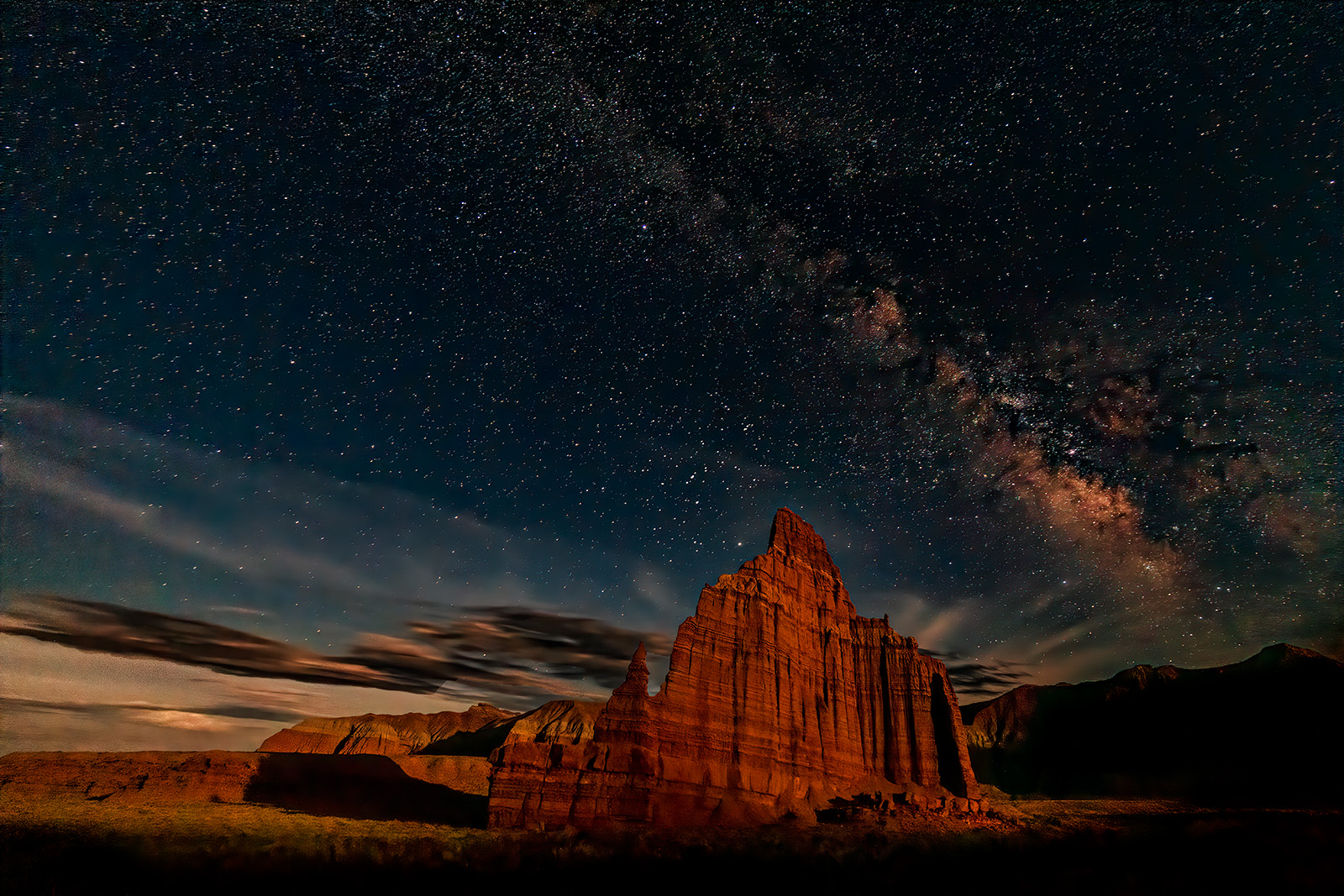
Which do you prefer (added new image)

Vote for best of the two

  • 1. Lighter version

  • 2. Darker version


Results are only viewable after voting.

Ben Egbert

Forum Helper
Staff member
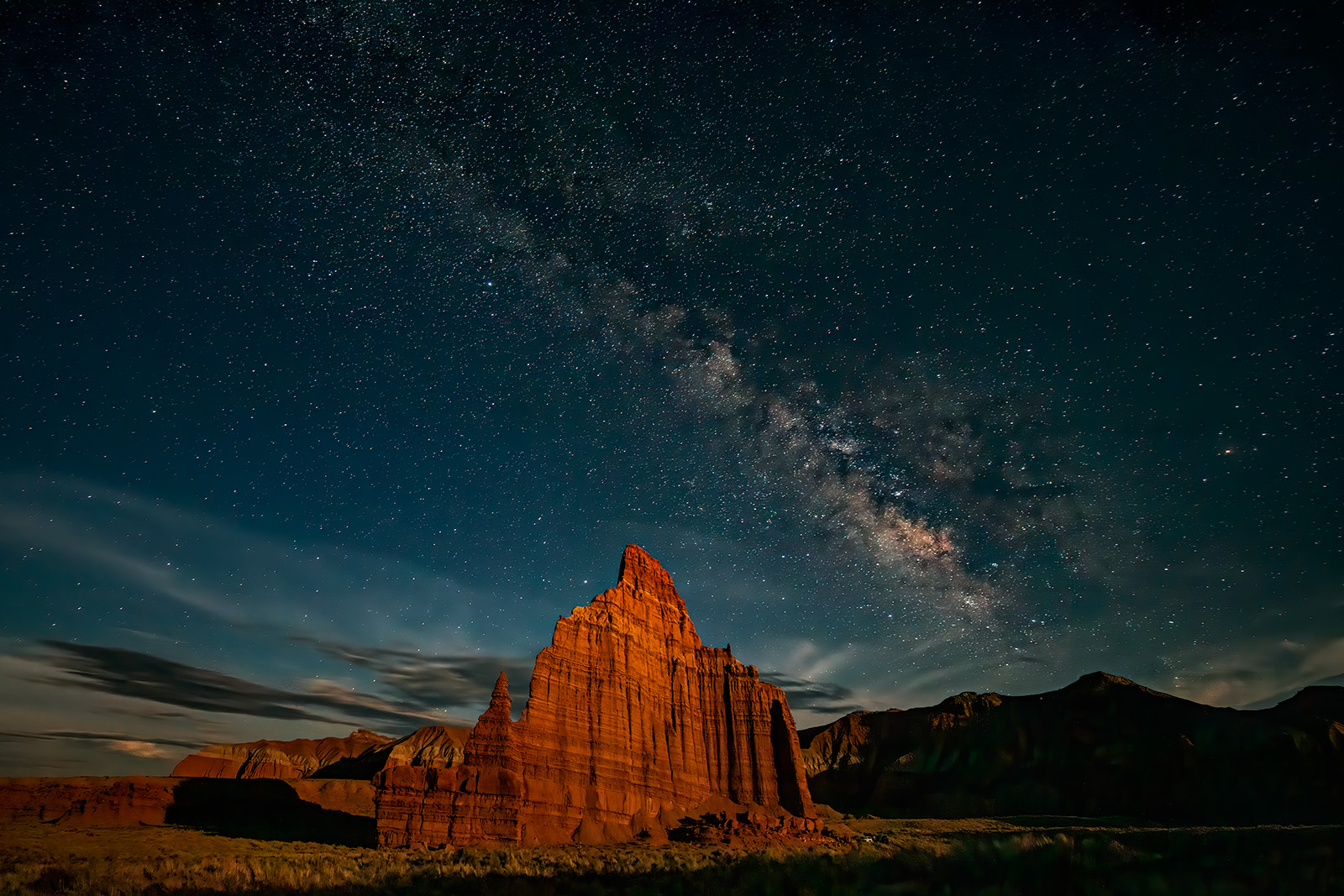
Here are two milky way images. The first was shown here about a month ago, It was purposely made bright by my choice of the amount of moonlight on the temple to the processing. I see that Jim and Alisia who were there have made darker images. So I found one that was a bit darker and processed it to emphasize the sky instead of the terrain. As it turns out not even the bright one works as a print, so maybe I forget about printing MW shots and concentrate on the best web presentation.

1. Lighter version
200531-13370-5DS R A dk sky topaz usm warp.jpg


2. Darker version
200531-13372-5DS R.jpg
 
Last edited:

JimFox

Moderator
Staff member
Hey Ben, both look cool, I like the 2nd best I think. I like the Extra work you have done on the Milky Way, but I would like the Milky Way to then be brighter against the dark sky.
 

Jim Dockery

Well-Known Member
Both are great, but a nod to #2, the clouds are more dramatic and the tighter crop is also. The color and brightness in the sky below the clouds on the far left doesn't seem to jive with the area just above the dark clouds though.
 

Ben Egbert

Forum Helper
Staff member
Hey Ben, both look cool, I like the 2nd best I think. I like the Extra work you have done on the Milky Way, but I would like the Milky Way to then be brighter against the dark sky.
Hey Jim thanks for this comment. I tried your tip for making the stars brighter but cannot get it to work. I can use it too darken the sky but when I try to lighten the stars, it makes the entire image brighter. Is that what you would do here? Part of doing this version was to hone my MW processing a bit.
 

Ben Egbert

Forum Helper
Staff member
Both are great, but a nod to #2, the clouds are more dramatic and the tighter crop is also. The color and brightness in the sky below the clouds on the far left doesn't seem to jive with the area just above the dark clouds though.
Thanks Jim. The moon was very bright in that segment of the image. Should I darken it?
 

Dale Berlin

Well-Known Member
#1 for me. I wonder if dimming just the tower would help or hurt, but I think it is an awesome image as is.
 

Ben Egbert

Forum Helper
Staff member
Thanks all for your response. It appears that one is the winner which sort of surprised me. I think milky way shots are cool but to really get good at this I would need to get used to being awake when I prefer to sleep, and have a cleaner camera noise wise. I printed the first one at 16x24 and had it hanging on my wall for a while but it did not inspire me so I took it down. Too dark for my taste, but if I made it brighter, it would start looking pretty fake I suspect.

Anyway I did a milky way so I can scratch that off my bucket list.
 

JimFox

Moderator
Staff member
Thanks all for your response. It appears that one is the winner which sort of surprised me. I think milky way shots are cool but to really get good at this I would need to get used to being awake when I prefer to sleep, and have a cleaner camera noise wise. I printed the first one at 16x24 and had it hanging on my wall for a while but it did not inspire me so I took it down. Too dark for my taste, but if I made it brighter, it would start looking pretty fake I suspect.

Anyway I did a milky way so I can scratch that off my bucket list.
Ben, don't scratch the Milky Way off your list, I was hoping you were just starting to scratch your Milky Way itch!
 

JimFox

Moderator
Staff member
Ben, can you blend a bit of the Milky Way detail in from #2 into #1? I like the detail you got.
 

JimFox

Moderator
Staff member
Hey Jim thanks for this comment. I tried your tip for making the stars brighter but cannot get it to work. I can use it too darken the sky but when I try to lighten the stars, it makes the entire image brighter. Is that what you would do here? Part of doing this version was to hone my MW processing a bit.
Ben, the layer mask is not set up right. Is that where I typed the tutorial wrong?
 

Ben Egbert

Forum Helper
Staff member
I can’t get the tutorial to work. I get a layer mask where I can darken the sky but if I try to brighten the stars
the whole image gets brighter. I am not sure the stars can get brighter because they are already Around 250

the first image is the easier and brighter image to work with and I could probably make the sky look like the 2nd one if I start from scratch. The mw had moved a bunch between shots so blending would probably harder
 

Kyle Jones

Moderator
I like both the sky and ground better in the first. You got nice moonlight on the temple, may as well take advantage! I think the stars are too red in the second.

The trick with Jim's tutorial is to brighten the layer underneath the one with the sky layer mask.
 
Top Bottom