Star wheel posted for feedback and help

Ben Egbert

Forum Helper
Staff member
Jim did a time lapse of stars circling Polaris while at Joshua tree a week or so back. I thought it was so cool I tried one of my own Saturday night while down at the south west end of Utah Lake. Too much light pollution, but the best I could do in winter.

I started with time lapse, but my Canon R5 has a 1/8 second max exposure length for in camera time lapse. So I switched to time interval which has no such limits. I used the Rokonon 14 f2.0 which reports f2.8 in the camera. 20 second exposures ISO 1600. I had my intervals set for 22 seconds, but they were more like 28 or so. You need to turn off image review to fix this issue.

I had a short time period when it was dark enough to shoot and before a near full moon rose above the mountains at about 8:15 so this is a very short TL.

I had lots of light pollution and some flare caused by stray light so I deleted a few frames causing some jumps. Also lots of aircraft. I left that in because I wanted to show what I was able to do and get some feedback.

I located Polaris using Sky Guide, but was only able to get close with aiming, a skill I need to master. I was not even sure which star in that general direction was Polaris. Looks like I was not too far off.

Here is a single shot I picked to process in the normal manner. I was pleased with the way the R5 and Rokonon 14 f2.0 handled star shots. Minimal NR was required. The focus was great but the corners are a bit soft, I might try f2.8 next time.

Not many stars show up in you tube std resolution, so I waited almost a full day for the 4k version.
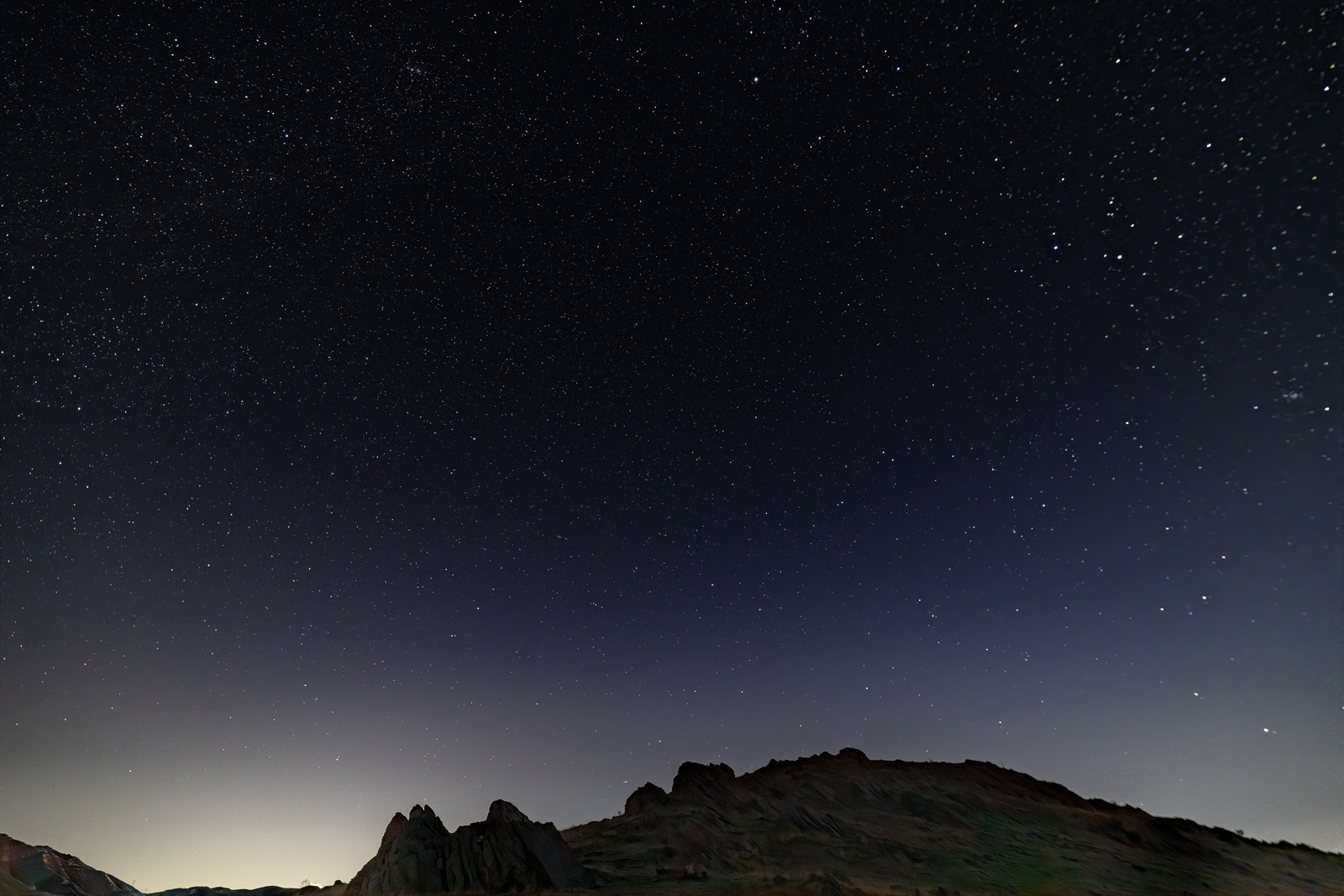
210130-16819-R5.jpg


JimFox

Moderator
Staff member
I would say you are on the right track Ben! Outside of the issues you mentioned, this looks really good and rock solid. A very nice timelapse of the sky.

I would suggest no intervals though. And 2 reasons for that. First if you ever decide to do a star trail photo where you stack all of the images, you won't be able to because of your gaps, so you are limiting yourself that way. And shooting to the North like this creates the best star trails. Second, there is no need for an interval. You are already shooting a 20 sec exposure, so in essence, your interval is already built into the photos. As a note, I do not use any intervals on any of my night time photography. I shoot them back to back to back.

When the moon starts to be a little less in another week, you should go do this again, your R5 and that Rokinon look to be a great combination.

And a tip with the soft corners... If you compose with a crop in mind, you can do a slight crop and lose the soft corners. :)
 

Ben Egbert

Forum Helper
Staff member
So to eliminate intervals I should set the interval in the time interval the same as the exposure time, or 20 seconds. Or do you use another method beside time interval. I wonder it burst mode would work?
 

Mike Lewis

Staff Member
Night sky time-lapses introduce some new challenges, but I think you are well on your way to getting this stuff figured out. I like what you have done here, although again, on my system this morning the 4K playback from YouTube looks like garbage. Maybe it is something on my end?


A few technical comments about intervals and intervalometers I have discovered.

The camera (pretty much any camera) needs time to write the image before it is taking another image. The time required is a function of the camera / memory card combo used. On the R5, if using a CFExpress card, you are writing very fast, so that becomes some value much less than a second. That is what allows the camera to run 8K video rates or to capture full rez images at 12 or even 20 FPS in long bursts without locking the camera up. Even the fastest SD cards (I have a few that can write at 300MB/sec) can store images very fast on the R5. Unfortunately though, using the built in intervalometer (and many external intervalometers too actually) you cannot specify intervals less than a second, and in fact on the R5 you are constrained to intervals that might have to be as long as 2 seconds. @JimFox - if you are getting around this constraint somehow with your Nikon setup such that you have zero delay between captures I would like to hear how, as I do not believe that is possible.

The LRTimelapse guy (Gunther Wegner) has an explanation of some of the problems introduced by many intervalometers for time-lapse, and eventually built his own to solve many/most of the issues. His external unit (that can mount on your hot shoe or other places) can achieve very short interval times that could take advantage of the very fast write times of the CFExpress card (or at least some of the fastest SD cards too - a big range in write performance for those cards certainly). His intervalometer is not cheap, but looks to be pretty special. I have withheld buying one myself so far, but can see I am heading down that road if I continue to pursue time-lapses in any serious way. He also makes the plans available for free if someone wants to build there own version of his time and is handy with a soldering iron (I am) - but I like the much smaller packaging and more weather protected aspects of the professionally built unit so will likely land there is I decide to use one going forward at some point.

Another plug to go to https://lrtimelapse.com/ if you haven't already and read some of the info there. There is a page about the LRT Pro Timer I mentioned above, plus some tutorials. I bought the very comprehensive eBook (actually got it as a Christmas present) for what amount to $28 (at the current exchange rate) - 480 pages of very in depth info about techniques, intervalometers, and his processing software LRTimelapse. I am using the demo version of LRTimelapse software when I do interval based time-lapses and it completely takes out the flickering if you follow his workflow using it paired with Lightroom. The free version is constrained to 400 frames or less, and won't output anything larger than HD. But once again I may end up getting it if I get serious about this stuff. Regardless of all of that though, it is an informative site even if you spend no money there.

Lastly, I have also started following this guy a bit too. He posted some early review info on the R5 and R6 for time-lapses, and is a very accomplished TL photographer himself. He is at https://www.matjoez.com/

ML
 

JimFox

Moderator
Staff member
@Mike Lewis its super easy to get 0 sec intervals. Just use a remote release and lock it in. I used to use one from Nikon, but I switched to a Neewer branded one that also includes full intervalometer functions. It has both a mechanical Remote Release that can be locked in, and then also for when I want to do longer 2 or 3 min exposures like with Deep Space.

For shooting stars, we never go longer then 30 seconds anyway, so you set the exposure in the camera, and then lock in the Remote Release and let it go. :)
 

JimFox

Moderator
Staff member
So to eliminate intervals I should set the interval in the time interval the same as the exposure time, or 20 seconds. Or do you use another method beside time interval. I wonder it burst mode would work?
Ben, when shooting at night there should be no intervals, just use your remote release and lock it in. Let it shoot image after image continuously.
 

Mike Lewis

Staff Member
Have you checked the time stamps? Betting there is still some sort of a gap, although likely a very short sub-second one...

ML
 

Ben Egbert

Forum Helper
Staff member
But like Mike says, there must be some account for write time. I am obliged to use time interval because time lapses is limited to 1/8 second, so if I want 20 seconds, must use time intervals. I can get 1 sec intervals for time intervals.
 
Top Bottom